Spending $2,000–$5,000 on a launch monitor is a big decision. Get it right, and you have a simulator that feels like the real thing for years. Get it wrong, and you’re stuck with buyer’s remorse and a device collecting dust in the corner of your garage.
We collected real feedback and reviews from over 650 golf simulator owners on Reddit’s r/golfsimulator community to find out which mid-range launch monitors actually deliver. Every rating below (accuracy, setup, support, buy-again rate) comes directly from people who own these units and use them at home.
This isn’t a spec-sheet comparison. It’s what real owners think after months of living with their purchase.
Related resources on Yardstick Golf:
Launch Monitor Comparison Tool
|
Launch Monitor |
Our Evaluation |
Buyer Ratings |
Check Prices |
|---|---|---|---|
 |
Best $2,500-$5,000 |
||
 |
Best $1,500–$2,500 |
||
 |
Best Under $1,500 |
||
 |
Most Popular Buy |
How We Ranked These Launch Monitors
This data comes from a 2026 buyer survey where we collected data from ~650 respondents on r/golfsimulator. Owners rated their units on:
- Accuracy: Distance, direction, and shot shape (each scored out of 10, then averaged)
- Short game realism: Chipping accuracy and putting realism (each out of 10)
- Ease of setup: Out of 5
- Customer support: Out of 5
- Buy-again rate: Would they purchase the same unit again?
We also note the average price actually paid (not MSRP), subscription costs, and room depth requirements, because those hidden costs matter when you’re budgeting a full build.
How We Handle Response Counts
Every score in this guide shows how many owner responses sit behind it. Our standing guideline, explained on our How We Rate page, is to recommend a product only when it has at least 5 owner responses. In this guide we apply that guideline in tiers:
- 5 or more responses: eligible for any pick in this guide.
- 3 or 4 responses: labeled “Limited data.” Eligible for a pick only when no monitor in that price band has 5 or more responses, and the response count is always shown next to it.
- 2 responses: shown in the tables for reference, labeled “Limited data,” and never picked.
- Fewer than 2 responses: not listed. When two models share the same hardware, we combine their responses into one entry and say so.
One pick in this guide relies on limited data: the Flightscope Mevo Gen2 under $1,500. Its section explains why it is included.
See all 30 launch monitors in our survey in one interactive tool.
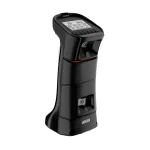
Uneekor EYE MINI: Best Launch Monitor Between $2,500 and $5,000
4.6 / 5
100%
8.7 / 10
8.8 / 10
8.8 / 10
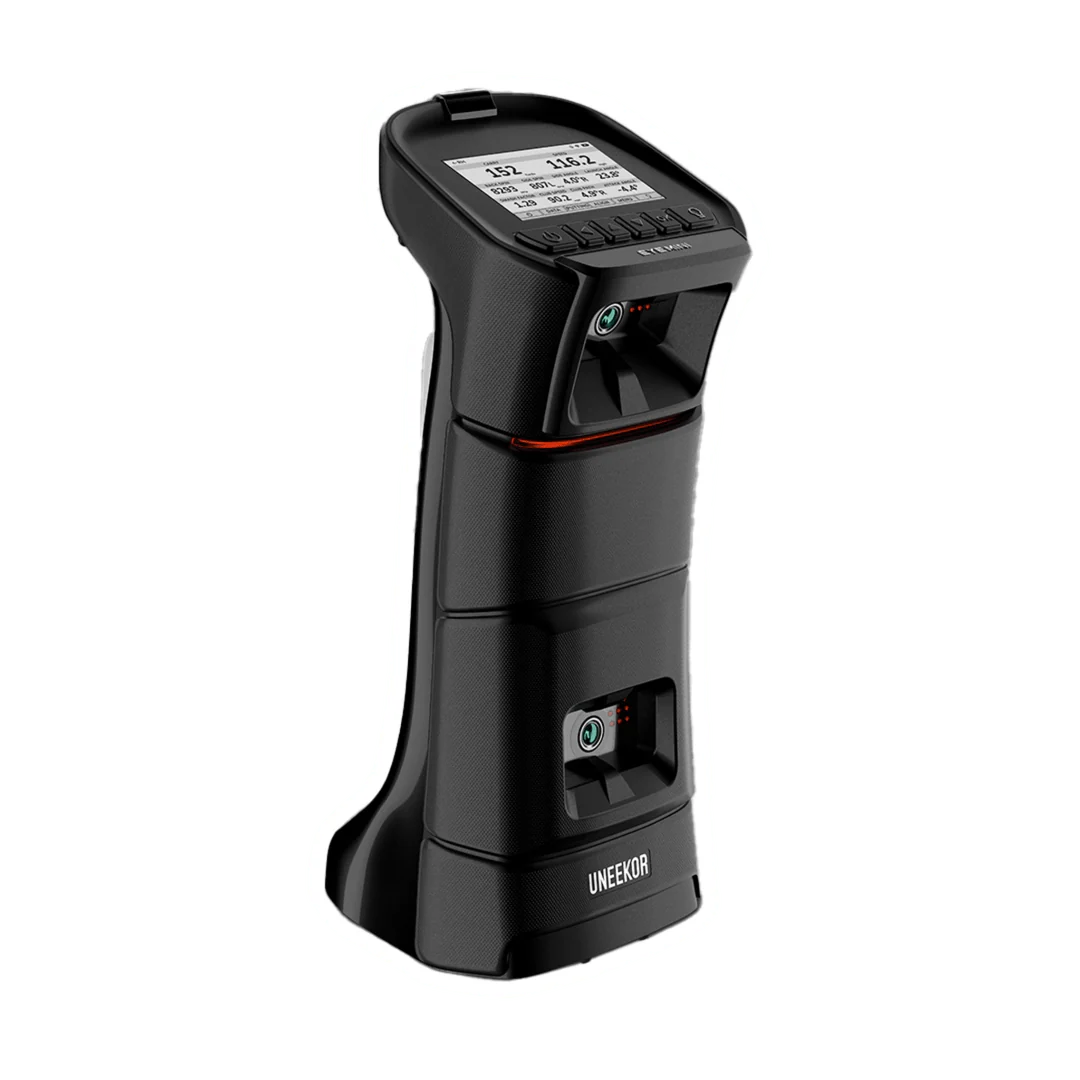
Uneekor EYE MINI packs a lot of “big-boy” launch monitor tech into a portable, side-mounted unit that works in rooms as short as 8 feet deep. It uses dual high‑speed infrared cameras and Uneekor’s Ball/Club Optix system to track both ball flight and club delivery in detail, so you see exactly why the ball is doing what it’s doing on every swing. That’s a big deal in a simulator, because it lets you connect face angle, path, and strike location with the shot you see on screen instead of guessing.
Out of 40 survey responses, owners gave the EYE MINI an average of 8.8/10 for full‑swing accuracy and 9.15/10 for chipping with 8.45/10 for putting realism, which is near the top of all mid‑range units we surveyed. Short game is where many launch monitors fall apart; with the Mini you can actually practice delicate chips and putts and have them behave like they do on the course, making simulator rounds and wedge practice much more useful.
The unit sits next to the ball, so you don’t need 16–18 feet of depth like radar systems. For most garage and basement builds that’s the difference between “this fits” and “this doesn’t.” It also has a built‑in e‑ink display that shows ball speed, launch angle, spin, and carry distance without needing a PC or tablet, which is handy when you want quick numbers in the garage or at the range.
On the data side, the EYE MINI can provide up to 19 ball and club parameters, including ball speed, launch angle, spin, carry, total distance, club speed, smash factor, attack angle, club path, spin axis, apex, and more. That combination gives you enough information to diagnose patterns like over‑the‑top moves, low spin drivers, or weak, glancing strikes, and then verify that your changes are working. For a sim owner, that means your winter practice isn’t just entertainment; it actually moves your handicap.
Software flexibility is another big plus. The Mini works with Uneekor’s VIEW app plus upgraded Refine/Refine+ practice and course software, and it integrates with GSPro, E6 Connect, TGC 2019, and Awesome Golf, so you can pick the environment that fits your budget and playing style. If you decide to join an online sim tour or change software later, you’re not locked into a dead‑end ecosystem.
In our survey, buyers paid an average of $3,588, and 100% said they would buy the EYE Mini again, which is about as strong an endorsement as you’ll see for a mid‑range launch monitor. A minority (about 25%) reported paying an annual software add‑on fee (around $200), mainly to unlock third‑party sim integration, so you’ll want to factor that into your long‑term budget.
| Pros | Cons |
|---|---|
| ✅ Strong short‑game realism for chipping and putting | ❌ Higher upfront price than some mid‑range competitors |
| ✅ Works in tight spaces with only ~8 feet of room depth needed | ❌ Setup and calibration are a bit more involved than basic units |
| ✅ Dual‑camera + IR tech captures both ball flight and club delivery | ❌ Some owners report uneven customer support responsiveness |
| ✅ Broad software support (GSPro, E6, TGC, Uneekor Refine/View) | |
| ✅ 100% of surveyed owners said they would buy the EYE Mini again |
Uneekor EYE MINI Specs and Survey Responses
| Metric | Rating |
|---|---|
| Avg Price Paid | $3,588 |
| Survey Responses | 40 |
| Distance / Direction / Shot Shape | 8.65 / 8.8 / 8.95 |
| Chipping / Putting | 9.15 / 8.45 |
| Ease of Setup | 3.69 / 5 |
| Customer Support | 3.7 / 5 |
| Buy-Again Rate | 100% |
| Room Depth Needed | 8 feet |
| Sensor Type | Camera + IR (side-mount) |
| Shot Delay | 0–1 seconds |
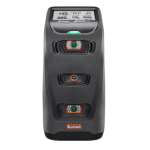
Bushnell Launch Pro: Best Launch Monitor Between $1,500 and $2,500
4.7 / 5
83%
9.4 / 10
9.5 / 10
8.4 / 10
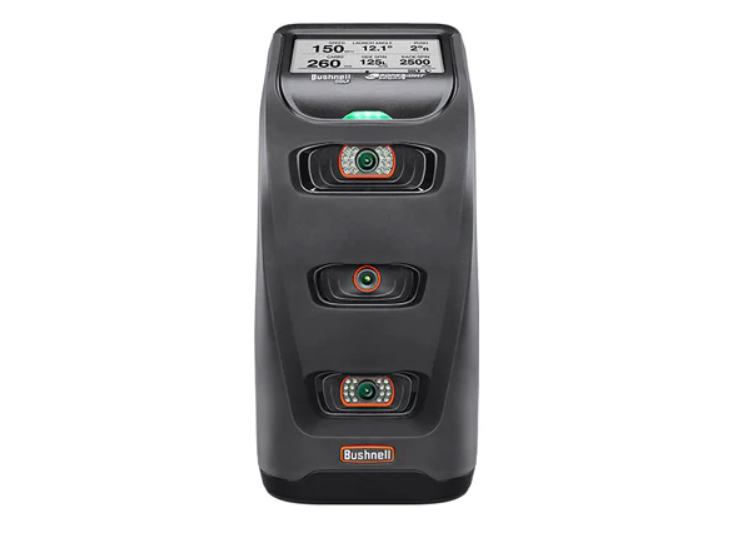
Bushnell Launch Pro is a side‑mounted, camera‑based launch monitor built for golfers who want true ball and club data in a typical garage or basement bay. It only needs about 12 feet of room depth, works indoors and outdoors, and gives you the same core numbers you see on tour ranges.
From our 2026 owner survey, buyers paid an average of $2,381 and rated accuracy extremely high: 9.37/10 for distance, 9.47/10 for direction, and 9.44/10 for shot shape. Chipping scored 9.07/10 and putting 7.81/10, so short‑game shots behave realistically enough that sim practice actually transfers to the course. About 83% of owners said they would buy the Launch Pro again, which is solid for this price tier.
The big benefit is rich club and ball data. With the appropriate package unlocked, you get club speed, path, attack angle, and smash factor along with ball speed, spin, launch, and spin axis, so you can see how swing changes affect both contact and flight instead of guessing. That’s especially helpful if you’re using your sim to fix a slice, optimize driver numbers, or dial in wedge gapping.
Owners rated ease of setup at 4.25/5 and customer support at 3.82/5, and reported a 0–1 second shot delay, so once it’s configured the experience feels very close to real‑time golf. The main drawback is ongoing cost: roughly two‑thirds of respondents said a subscription is required, with a typical price a little over $1,100 per year, which can significantly increase the total cost of ownership over several seasons.
If you’re comfortable budgeting for the subscription and want a proven, highly accurate unit that doubles as both a home‑sim engine and a serious practice tool, the Bushnell Launch Pro remains one of the strongest options under $5,000 for committed home golfers.
| Pros | Cons |
|---|---|
| ✅ Very high full‑swing accuracy for distance, direction, and shot shape | ❌ Subscription adds a significant ongoing cost over time |
| ✅ Deep club data (speed, path, attack, smash) for serious swing work | ❌ Stickers needed for full club data can be fiddly to manage |
| ✅ Near‑instant feedback with 0–1 second shot delay feels very responsive | ❌ Not every owner would buy again at the total cost of ownership |
| ✅ Works indoors or outdoors with a manageable 12‑foot room depth | |
| ✅ Large user base and broad sim‑software support for flexible setups |
Bushnell Launch Pro Specs and Buyer Survey Data
| Metric | Rating |
|---|---|
| Avg Price Paid | $2,381 |
| Survey Responses | 68 |
| Distance / Direction / Shot Shape | 9.37 / 9.47 / 9.44 |
| Chipping / Putting | 9.07 / 7.81 |
| Ease of Setup | 4.25 / 5 |
| Customer Support | 3.82 / 5 |
| Buy-Again Rate | 83% |
| Room Depth Needed | 12 feet |
| Sensor Type | Camera (side-mount) |
| Shot Delay | 0–1 seconds |
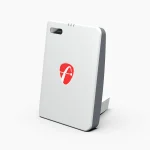
Flightscope Mevo Gen2: Best Launch Monitor Under $1,500 (Limited Data)
5 / 5
100%
9.0 / 10
9.3 / 10
7.2 / 10
Flightscope Mevo Gen2 is a portable, radar‑based launch monitor aimed at golfers who want solid numbers under the $1,500 mark and the flexibility to practice indoors or out. The Gen2 Pro uses the same hardware with added software, so we combine the two in this guide. Radar units sit behind the ball, so they need more room depth than a side‑mounted camera unit, but in a longer garage or basement you get true ball‑flight tracking without a big footprint.
In the 2026 survey data, owners reported paying $1,299 for the Gen2 and $2,200 for the Gen2 Pro. Combined accuracy scores came in at 9.0/10 for distance, 9.3/10 for direction, and a perfect 10.0/10 for shot shape, with 7.7/10 for chipping and 6.7/10 for putting realism. That points to strong full‑swing and wedge practice, with putting that’s usable but not as refined as higher‑end camera systems. All 3 respondents said they would buy it again. With only 3 responses, treat these scores as an early read, not a verdict.
The Mevo Gen2’s biggest appeal is value and portability. You get key metrics like ball speed, launch angle, spin rate, carry distance, club speed, smash factor, and more in a unit that fits easily in your bag, and there’s no required subscription for core use, so your long‑term costs stay predictable. For a sim owner who also spends time on the range, that means one device can handle both your at‑home sessions and outdoor practice without extra fees.
On the usability side, ease of setup was rated 4.7/5. Radar placement behind the ball takes a little more care than dropping a camera unit next to it. Shot delay is about 1–2 seconds, which is acceptable for practice but not quite as snappy as instant‑feedback camera units. You’ll also need roughly 16 feet of total depth (radar to screen) for proper tracking, so it’s better suited to longer spaces.
If your room can handle the depth and you care more about full‑swing practice and portability than perfect putting replication, the Flightscope Mevo Gen2 offers a compelling blend of accuracy, flexibility, and price without locking you into ongoing software subscriptions. Just keep the small sample in mind.
| Pros | Cons |
|---|---|
| ✅ Strong full‑swing accuracy with excellent shot‑shape tracking | ❌ Needs about 16 feet of depth, so not ideal for short rooms |
| ✅ Portable radar unit that works indoors and at the driving range | ❌ Radar placement behind the ball takes more care than a side‑mounted camera unit |
| ✅ No required subscription for core features keeps long‑term cost low | ❌ Putting realism is only fair (6.7/10) compared to higher‑end launch monitors |
| ✅ Delivers key ball and club metrics for practice and basic fitting | ❌ Only 3 responses so far, so scores can shift as more owners respond |
| ✅ All 3 responding owners said they would buy it again |
Flightscope Mevo Gen2 and Gen2 Pro Spec and Buyer Survey Data
| Metric | Rating |
|---|---|
| Avg Price Paid | $1,299 (Gen2) / $2,200 (Gen2 Pro) |
| Survey Responses | 3 combined (limited data) |
| Distance / Direction / Shot Shape | 9.0 / 9.3 / 10.0 |
| Chipping / Putting | 7.7 / 6.7 |
| Ease of Setup | 4.7 / 5 |
| Customer Support | N/A (insufficient data) |
| Buy-Again Rate | 100% (3 of 3) |
| Room Depth Needed | 16 feet |
| Sensor Type | Radar Doppler (behind the ball) |
| Shot Delay | 1–2 seconds |
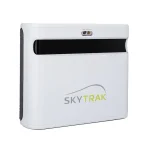
SkyTrak+ The Most Popular Launch Monitor in This Price Range

4.1 / 5
88%
8.7 / 10
8.5 / 10
6.4 / 10
SkyTrak+ is the most popular launch monitor in this price range, with 71 owners responding, and it targets golfers who want a “real” sim experience around the $2–3K mark. It uses a hybrid of high‑speed cameras and dual Doppler radar in a side‑mounted unit, so it fits comfortably in typical garage or basement bays with about 12 feet of depth while still tracking both ball and club data.
Surveyed owners paid an average of $2,362 and rated full‑swing accuracy at 8.65/10 for distance, 8.49/10 for direction, and 8.49/10 for shot shape. Short‑game numbers are more average, at 6.99/10 for chipping and 5.85/10 for putting realism, which makes SkyTrak+ excellent for full‑swing and solid but not elite for putting and delicate chips. Even with those tradeoffs, 88% said they would buy it again, which speaks to how well it hits the needs of typical home users.
On the data front, SkyTrak+ gives you the key ball metrics (ball speed, launch, spin, carry, curvature) plus useful club information like clubhead speed, path, face angle, and smash factor. That combination lets sim owners see both why the ball started and curved the way it did and how their path‑to‑face relationship is driving those patterns, which is huge if you’re using your sim for real game improvement rather than just entertainment.
Owners rated ease of setup at 4.14/5, and the SkyTrak app adds polish with built‑in practice ranges, skills tests, and tools like Shot Optimizer to compare your numbers against better players. The main compromise is speed: users report a 2–4 second shot delay, so you feel impact before you see the ball launch on screen, which is fine for most but not as snappy as premium options like EYE Mini or Launch Pro.
SkyTrak+ also wins on ecosystem. It integrates with major sim software platforms such as GSPro, E6 Connect, and TGC 2019, so you can pick the course library and pricing model that fits your budget, and about half of owners layer on a modest annual plan for added features. If you want a proven, widely supported launch monitor with strong accuracy, full ball and club data, and friendly room requirements, SkyTrak+ remains one of the safest “anchor” choices for a home simulator under $3,000.
| Pros | Cons |
|---|---|
| ✅ Most popular launch monitor in this price range with strong owner satisfaction | ❌ 2–4 second shot delay, so impact and ball flight are slightly out of sync |
| ✅ Solid full‑swing accuracy for distance, direction, and shot shape around 8.5/10 | ❌ Short‑game and putting realism trail higher‑end camera systems |
| ✅ Tracks both ball and club data using combined camera and radar technology | ❌ Requires about 12 feet of depth, which can be tight in very small spaces |
| ✅ Works well in typical garage or basement bays with side‑mounted placement | |
| ✅ Broad software support (GSPro, E6, TGC and more) for flexible sim setups |
SkyTrak+ Spec and Buyer Survey Data
| Metric | Rating |
|---|---|
| Avg Price Paid | $2,362 |
| Survey Responses | 71 |
| Distance / Direction / Shot Shape | 8.65 / 8.49 / 8.49 |
| Chipping / Putting | 6.99 / 5.85 |
| Ease of Setup | 4.14 / 5 |
| Customer Support | 3.9 / 5 |
| Buy-Again Rate | 88% |
| Room Depth Needed | 12 feet |
| Sensor Type | Camera + Radar (side-mount) |
| Shot Delay | 2–4 seconds |
Buyer Survey Data on All Launch Monitors
See all 30 launch monitors in our survey in one comparison tool.
| Launch Monitor | Responses | Avg Price | Accuracy Avg (/10) | Chipping (/10) | Putting (/10) | Setup (/5) | Buy Again | Depth Needed |
|---|---|---|---|---|---|---|---|---|
| Bushnell LPi | 2 (limited data) | $1,350 | 10.0 | 9.5 | 10.0 | 4.5 | 100% | 8 ft |
| Bushnell Launch Pro | 68 | $2,381 | 9.4 | 9.07 | 7.81 | 4.25 | 83% | 12 ft |
| Flightscope Mevo Gen 2 / Gen 2 Pro (combined) | 3 (limited data) | $1,299 / $2,200 | 9.4 | 7.7 | 6.7 | 4.7 | 100% | 16 ft |
| Flightscope Mevo Plus | 38 | $1,960 | 8.2 | 6.89 | 4.42 | 3.97 | 60% | 16 ft |
| Flightscope Mevo+ Pro | 23 | $2,757 | 8.7 | 6.18 | 3.9 | 4.26 | 67% | 16 ft |
| Full Swing Kit | 6 | $4,000 | 8.7 | 4.67 | 3.17 | 5.0 | 100% | 16–18 ft |
| Nova Open Launch | 12 | $1,500 | 9.2 | 9.08 | 9.67 | 4.92 | 100% | 10 ft |
| SkyTrak+ | 71 | $2,362 | 8.5 | 6.99 | 5.85 | 4.14 | 88% | 12 ft |
| Uneekor EYE Mini Lite | 19 | $2,221 | 9.0 | 8.74 | 7.89 | 4.11 | 100% | 12 ft |
| Uneekor EYE Mini | 40 | $3,588 | 8.8 | 9.15 | 8.45 | 3.69 | 100% | 8 ft |
Monitors marked "limited data" have fewer than 5 responses. The Flightscope Mevo Gen 2 entry combines the Gen 2 and Gen 2 Pro, which use the same hardware. Accuracy is the average of distance, direction, and shot shape. See how we handle response counts above.
Which Data Points Does Each Unit Track?
Not every launch monitor measures the same metrics. Here’s what matters if you’re working on your swing:
| Metric | BLP | LPi | SkyTrak+ | EYE Mini | EYE Mini Lite | Nova | Full Swing Kit | Mevo+ Pro |
|---|---|---|---|---|---|---|---|---|
| Ball Speed | ✅ | ✅ | ✅ | ✅ | ✅ | ✅ | ✅ | ✅ |
| Spin Rate | ✅ | ✅ | ✅ | ✅ | ✅ | ✅ | ✅ | ✅ |
| Launch Angle | ✅ | ✅ | ✅ | ✅ | ✅ | ✅ | ✅ | ✅ |
| Club Speed | ✅ | ✅ | ✅ | ✅ | ✅ | ❌ | ✅ | ✅ |
| Club Path | ✅ | ✅ | ✅ | ✅ | ✅ | ❌ | ✅ | ✅ |
| Club Face Angle | ❌ | ✅ | ✅ | ❌ | ❌ | ❌ | ✅ | ✅ |
| Attack Angle | ✅ | ✅ | ✅ | ✅ | ✅ | ❌ | ✅ | ✅ |
If club data (path, face angle, attack angle) is essential for your practice, the Bushnell LPi, SkyTrak+, Full Swing Kit, and Flightscope Mevo+ Pro give you the most complete picture.
Software Compatibility at a Glance
Most units in this range support the big three: GSPro, E6 Connect, and The Golf Club (TGC). Here are the standout differences:
- FSX Play: Bushnell Launch Pro, Bushnell LPi, Flightscope Mevo+ Pro, Full Swing Kit
- GSPro: Supported by every model in this guide (the Mevo Gen2 and Gen2 Pro connect through an API)
- Awesome Golf: Bushnell LPi, Flightscope models, Full Swing Kit, Uneekor EYE Mini
For a full breakdown of what each software offers, check out Best Golf Simulator Software on Yardstick Golf.
FAQs
Is a $2,000 launch monitor good enough for a home simulator?
Yes, a $2,000 launch monitor is more than good enough for a home simulator. The Bushnell Launch Pro ($1,500 to $2,500) earned the highest accuracy score of any monitor in this guide with 5 or more responses, 9.4/10, beating the Uneekor EYE Mini (8.8/10), which owners paid about $1,200 more for, and SkyTrak+ (8.5/10). At around $2,000, it leaves roughly $3,000 for a screen, projector, and mat, which is enough to build a complete golf simulator under $5,000.
Do I need a subscription for my launch monitor?
It depends on the model. Some units (Nova Open Launch, Full Swing Kit) have zero subscription costs. Others, like the Bushnell Launch Pro, can cost over $1,000/year for software access. Always factor subscription costs into your total budget.
How much room depth do I need?
Camera-based units typically need 8–12 feet. Radar-based units need 16+ feet. Measure from where you’ll stand at the hitting mat to the wall behind you, not just the distance to the screen.
Which launch monitor has the best short game accuracy?
The Nova Open Launch scored the highest putting realism (9.67/10) and the Uneekor EYE Mini led in chipping (9.15/10) among the monitors in this guide with 10+ responses. Radar-based units consistently scored lower for short game.
Are these launch monitors portable enough for outdoor use?
Most camera-based models work outdoors (Bushnell Launch Pro: 100%, SkyTrak+: 100%, Uneekor EYE Mini: 100%). Notable exceptions: Uneekor EYE Mini Lite (16%) and Nova Open Launch (8%) are primarily indoor units.
Planning your full build? Use the Golf Simulator Planning Tool to map out your room, or check Golf Simulator Costs to budget for screens, enclosures, projectors, mats, and software alongside your launch monitor.

Reid is a veteran data leader who has held senior analytics roles at Fortune 500 companies. He brings that background to golf, using structured testing and large-scale golfer surveys to evaluate simulator performance, reliability, and value. He has played golf for more than 40 years and currently plays to a 5 handicap.
- Previously Chief Data and Analytics Officer at Markel
- Previously Vice President of Data Engineering at Capital One
- 40+ years playing golf, 5 handicap
This website is a participant in the Amazon Services LLC Associates Program, an affiliate advertising program designed to provide a way for websites to earn advertising revenues by advertising and linking to Amazon.com. Some of the links on this page are affiliate links. This means that, at zero cost to you, I will earn an affiliate commission if you click through the link and finalize a purchase.