
We’ve all been there. You spend months—maybe years—obsessing over 1″ EMT pipe, impact screen tension, and whether a Uneekor Eye XO is worth the premium over a SkyTrak+. You finally get the “Shanktuary” (more on that name in a second) built, and within a week, you realize you’re the only person in the house using it.
To the rest of the family, it’s just a giant, expensive TV in the garage where Dad goes to disappear for three hours.
If you want to justify the investment (and maybe actually see your kids more often), you have to pivot. Most kids don’t care about their path-to-face ratio or whether they’re carrying their 7-iron 165 yards. They want to hit stuff. They want to play games.
But after dropping $10k+ on a setup, and getting yourself the best golf simulator software, you may want a budget friendly option for the kids. There are a handful of free golf simulator games that can turn your serious practice bay into a family arcade.
The Secret Weapon: Shanktuary
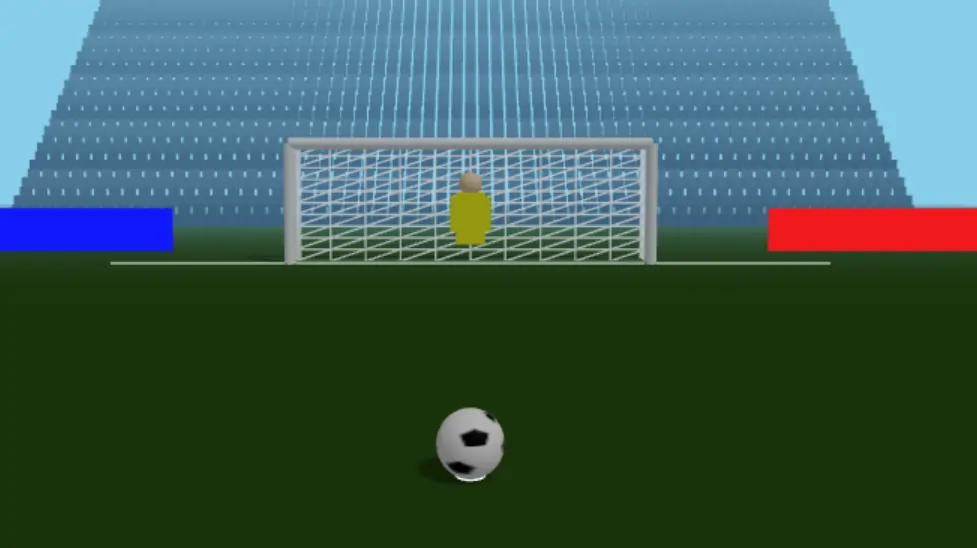
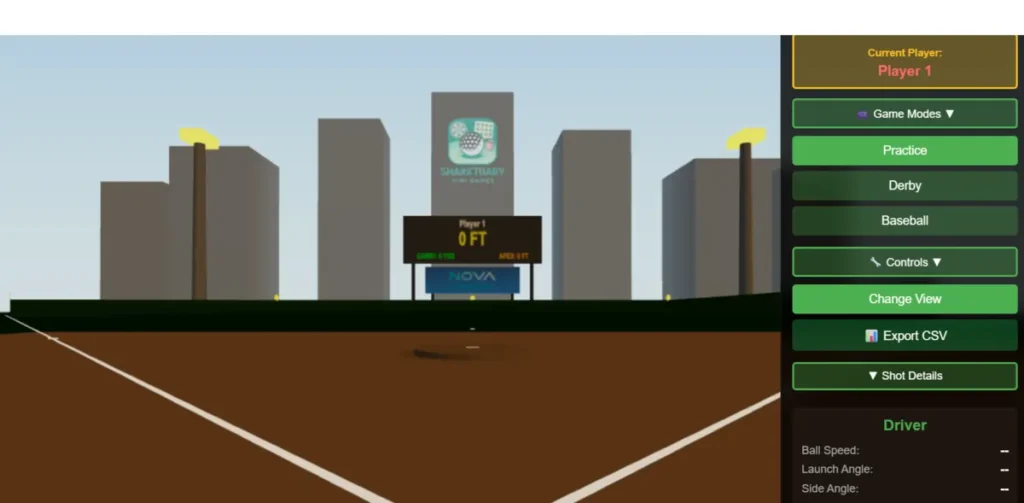

I have to start here because this is the current “holy grail” for family-friendly sim content that doesn’t cost a dime. As I was helping you dig through the PC setup and configuration files for this yesterday, I was reminded of just how much of a game-changer this software is for the DIY community.
Shanktuary isn’t your typical polished, corporate software like E6 Connect or TGC 2019. It’s a free, community-driven project that essentially turns your launch monitor into a multi-sport controller.
Why It’s a Win for Families
The beauty of Shanktuary is that it takes the “golf” out of the simulator. For golf simulator kids, hitting a ball at a virtual fairway can get boring fast. Shanktuary offers:
- Darts: A massive dartboard on your impact screen. Instead of throwing a dart, you hit a golf ball. It is surprisingly addictive and teaches accuracy better than any boring range session ever could.
- Soccer: Large goals and targets. Even if your kid can’t swing a club yet, they can kick a soccer ball into the screen, and the launch monitor (depending on your tech) can often pick up the movement.
- Baseball: A homerun derby mode that is a blast for everyone.
Setup Tip: When we were looking at the PC install yesterday, the key was ensuring the launch monitor interface was talking correctly to the software. It’s a bit more “tinkery” than GSPro, but for the price of $0.00, it’s unbeatable.
E6 Connect: The Arcade King
E6 Connect: While most of us use E6 for its stable physics and course play, its “Mini Games” package is actually the gold standard for golf simulator kids. If your launch monitor came with the standard E6 license, check your library for these four heavy hitters:
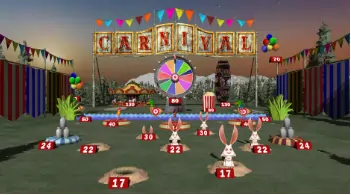
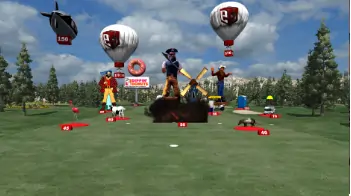
- Carnival: This is exactly what it sounds like—a digital boardwalk. You’re hitting balls at balloons, milk bottles, and dunk tanks. It’s high-energy, colorful, and perfect for younger kids who just want to see something “pop” when they hit a shot.
- Demolition Range: Honestly, even as an adult, this is a blast. You’re stationed in a junkyard or a city-scape and your goal is to blow things up. Hitting a 7-iron into a stack of cars and watching them explode provides the kind of instant gratification that a standard driving range just can’t touch.
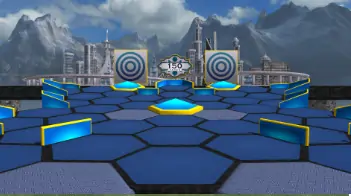
- Solaro: This one feels like a sci-fi movie. You’re hitting shots into space-themed targets and geometric shapes. It’s a great change of pace from the “green grass” look of every other sim software.
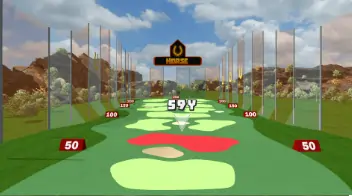
- Horse: Just like the basketball game. You call a shot (e.g., “hit the red target”) and your opponent has to match it. It turns a practice session into a competitive social event. In my experience, this is the best way to get a spouse involved without the pressure of a full 18-hole round.
Setup Tip: E6 is notorious for being a resource hog on iPads. If you’re running the iOS version, make sure you close out every other app. Nothing kills a family game night faster than the software crashing right before your kid hits the winning “Carnival” shot.
FSX Play: Premium Graphics, Premium Fun
FSX Play: If you’ve stepped up to a Foresight (GC3/GCQuad) or a Bushnell Launch Pro, you likely have access to FSX Play. While the software is known for its incredible 4K graphics, the real family value is in the “Fairgrounds” suite.
FSX Fairgrounds takes classic midway games and adapts them for the launch monitor. We’re talking:
- Skee-Ball: The physics are surprisingly accurate. You have to judge your “carry” perfectly to land the ball in the high-point rings.
- Bowling: You “bowl” with your golf ball. It sounds simple, but trying to pick up a 7-10 split with a pitching wedge is a challenge the whole family can get behind.
- Darts: Similar to what we discussed with Shanktuary, but with the high-fidelity polish of Foresight’s engine.
The tradeoff here is cost. FSX Play isn’t cheap. But if you’ve already invested in the Foresight ecosystem, these games are usually included in your software package. It’s the “hidden” entertainment value that justifies the high entry price of the hardware.
Garmin and SkyTrak: The Mobile Freebies
If you’re running a more budget-friendly setup like a Garmin Approach R10 or an original SkyTrak, you actually have access to some decent “out of the box” fun.
- Garmin Home Tee Hero: While the graphics are “cartoonish,” that’s actually a plus for kids. It feels like a video game. If you have the R10, you get thousands of courses in this “Play” mode. It’s included with the subscription, but many forget it’s there.
- SkyTrak Bag Mapping: Okay, this sounds boring, but hear me out. For older kids who are starting to get competitive, turn “Bag Mapping” into a game of “Target Practice.” Set a target, and whoever gets closest wins a point. Simple, effective, and free.
Making the Sim “Kid-Friendly” (Without Breaking Your Screen)
Honestly, this is where most setups fall short. You have the software, but you’re terrified your 8-year-old is going to sky-ball a driver into the ceiling or hosel-rocket a ball into your $500 laser projector.
Before you let the family loose, here are three non-negotiable tips:
1. The Foam Ball Compromise
If your kids are young or “wild” with their swings, swap the Titleist Pro V1s for AlmostGolf balls or high-quality foam balls. Most modern launch monitors like the Uneekor Eye Mini or the SkyTrak+ can still read these remarkably well for indoor distances. You lose the “real feel,” but you gain peace of mind knowing your drywall is safe.
2. Move the Launch Monitor
If you use a floor-based unit (Garmin, SkyTrak, GC3), make sure it’s protected. I’ve seen too many “family nights” end in a $2,000 repair bill because a kid accidentally kicked the launch monitor or hit it with a club on a follow-through. Get a protective shield. No excuses.
3. Shorten the Clubs
Don’t make your 10-year-old swing your 45-inch driver. It’s dangerous and frustrating for them. Pick up a cheap set of US Kids Golf clubs or a junior “yard club.” It makes the game easier, which means they’ll actually want to come back.
Comparisons: Free vs. Paid Entertainment Packages
| Feature | Shanktuary (Free) | E6 / GSPro (Paid) | Mobile Apps (Limited Free) |
| Cost | $0 | $250 – $600/year | Usually included with unit |
| Variety | Multi-sport (Darts, Soccer) | Golf-centric / Mini-games | Simple Range / Cartoon Courses |
| Ease of Use | Technical / Tinkery | Very Easy | Plug and Play |
| Kid Appeal | 10/10 | 7/10 | 8/10 |
The “Shanktuary” Mindset
At the end of the day, the goal of finding free golf simulator games is about maximizing the “utility per dollar” of your room.
My advice? Start with Shanktuary. It’s the most “non-golfer” friendly option out there. Once your family gets used to the idea of the “simulator room” being a “fun room,” you can slowly introduce them to actual golf.
If you’ve already got your [DIY enclosure built using EMT pipe], adding these software options is the final step in turning a “man cave” into a family destination.
Conclusion
You don’t need a massive annual budget to keep your family engaged in the sim. Between community projects like Shanktuary, the built-in mini-games in GSPro, and the mobile-first options from Garmin, there’s plenty of fun to be had for free.
Focus on safety first—get the foam balls and the protective cases—and then let the kids go wild. You’ll find that the more they use it, the more “permission” you have to spend your Saturday mornings in there grinding on your own game.

This website is a participant in the Amazon Services LLC Associates Program, an affiliate advertising program designed to provide a way for websites to earn advertising revenues by advertising and linking to Amazon.com. Some of the links on this page are affiliate links. This means that, at zero cost to you, I will earn an affiliate commission if you click through the link and finalize a purchase.


