When it comes to dreaming up your golf simulator business, it’s easy to envision the space. If you’re a golf sim nerd, you probably already have strong opinions, like going with Trackman vs. Uneekor, or using GSPro as your software of choice.
But once you go beyond the build and into the business side of things, a different set of decisions pop up:
- How will customers book bays?
- How do you manage payments?
- Will you offer memberships?
- If you’re interested in a 24/7 sim, how will you manage that?
- And above all, how will you run a lean and efficient business?
To see if we could answer some of these questions, we got our hands on AllBooked by Skedda, the platform that promises to handle all of this, from bookings to automation for unmanned facilities. For this golf simulator booking software review, we looked at it from both a setup and a customer perspective to make sure the platform is up to par. Is it a must-have for your golf sim tech stack? Let’s get into it.
AllBooked by Skedda
Bookings, payments, memberships, and after-hours access for golf simulator venues, all in one platform.
Start a free trial Schedule a demoThe Booking Process
Setup
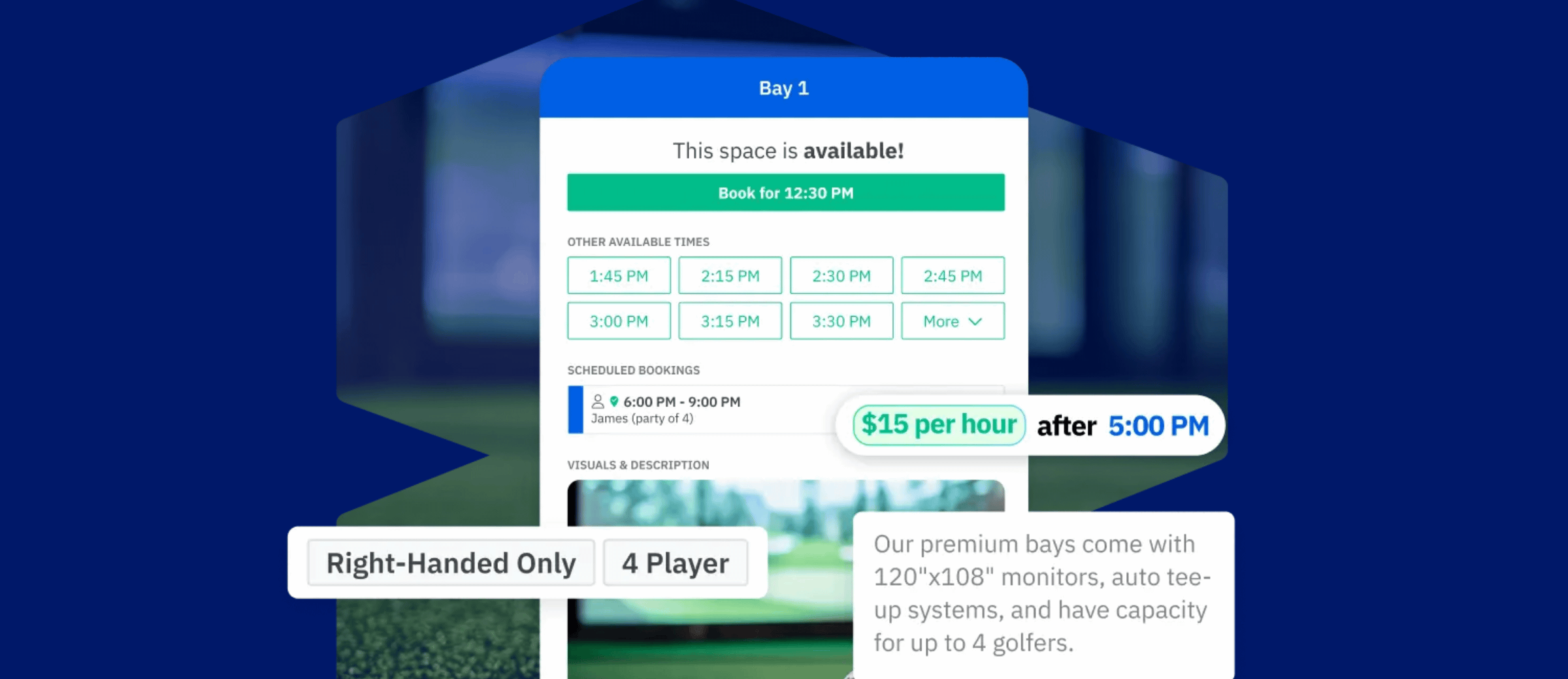
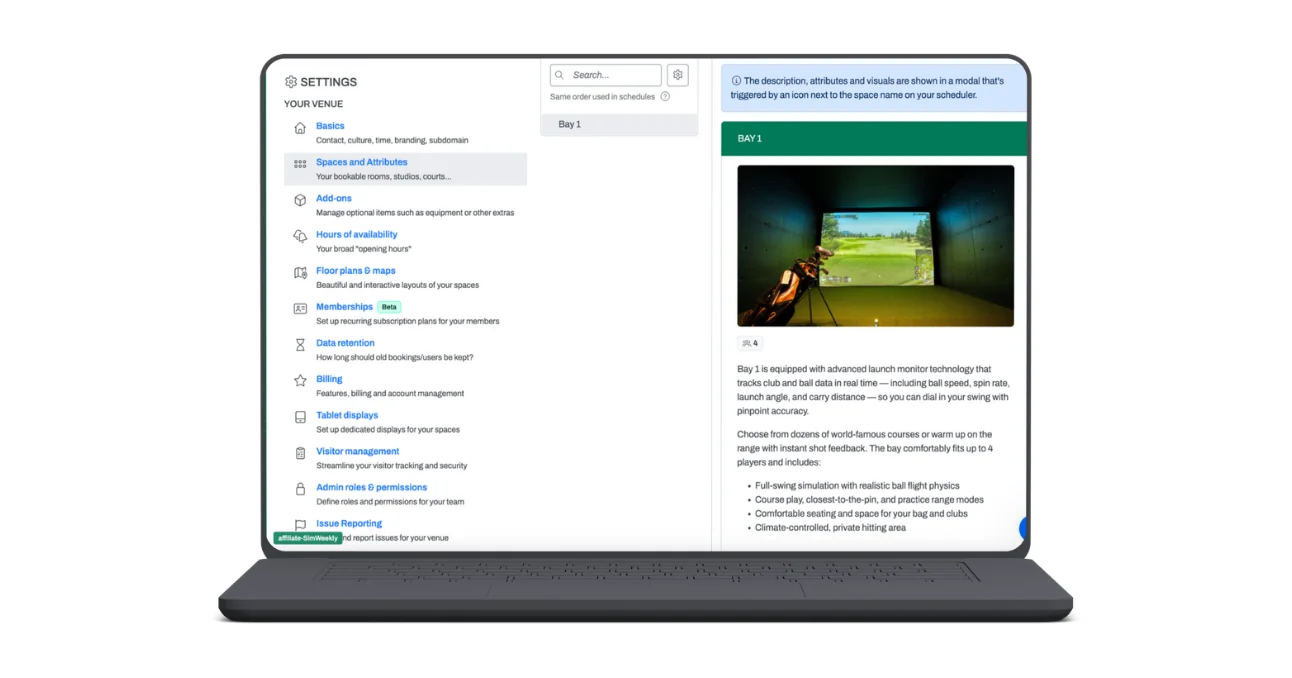
While the booking setup process is simple, it allows for a high-touch level of customization. That way, you can create the exact experience you want your customers to have when booking a bay.
- Interactive maps: You can upload a map of your space, and this turns into an interactive floor plan for visitors to select their bay.
- Rich details: Add in images of each bay, along with descriptions, pricing, and real-time availability.
- Multiple embed options: Customers can access booking right through your AllBooked portal, or, you can embed a scheduler directly on your site. You can even customize what each embed shows. A page dedicated to your second floor, for example, can display solely that level’s map.
- Customizable look and feel: Customize the interface with booking color rules, your logo, and your brand palette.
- Rules and roles: Make everything easy to manage on the back end with no-code rules for buffer times, cancellation policies, booking windows, quotas, and custom booking fields.
Customer Process
The customer booking process is pretty seamless.
For this golf simulator booking software review, we put on our customer hats to walk through the full flow. A customer would land on your website, and the booking experience, powered by AllBooked, feels like a natural extension of your brand. They’d click into the interactive map, pick a bay, see pricing and photos, choose an available time, and move to payment. It’s that easy!
On both the setup and customer side, booking is an easy, self-serve process. Front-end customization makes booking a strong first touchpoint for your brand, while no-code rules let the back end flex to fit your specific needs.
Perhaps in the future, AllBooked could incorporate features like lesson booking. But as it exists now, it checks a ton of the booking boxes.
Payments
While making golf your job is one goal of opening a sim, growing revenue is the other. You need a system that makes payments easy to manage, and allows you to price for your unique scenarios.
- Automated payments: AllBooked’s native Stripe integration means you’re not chasing down payments. You can set up rules so that customers pay when you want them to, and Stripe handles the processing.
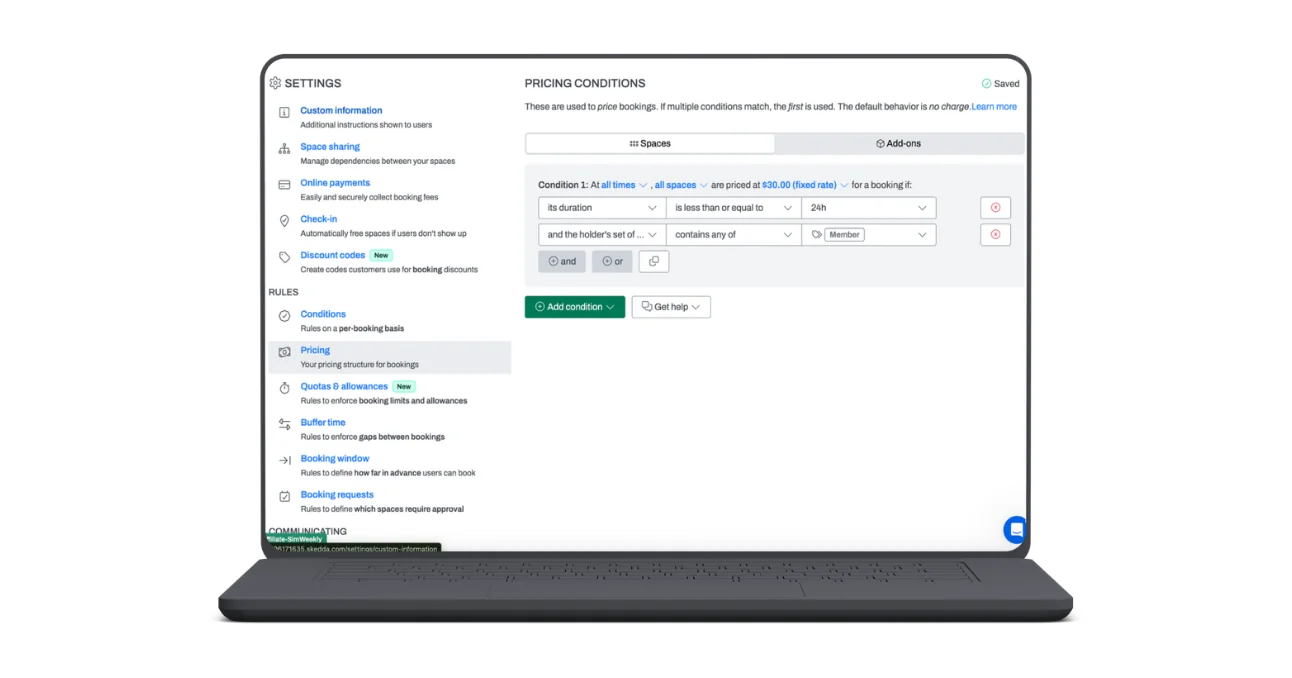
- Setting dynamic pricing: Don’t leave money on the table. AllBooked’s dynamic pricing features let you set pricing rules by day, time, bay type, customer tag, and duration.
Customer Process
Your customers will find it super easy to book a bay and pay with AllBooked’s payment features. And next time they book, Stripe will save their card, so the process is even simpler.
Automated payments and dynamic pricing rules are great, and customers can trust a secure system like Stripe with their payment information.
It is important to note that like most payment processors, Stripe charges processing fees. That’s something worth looking into to factor into overall cost.
Memberships
Setup
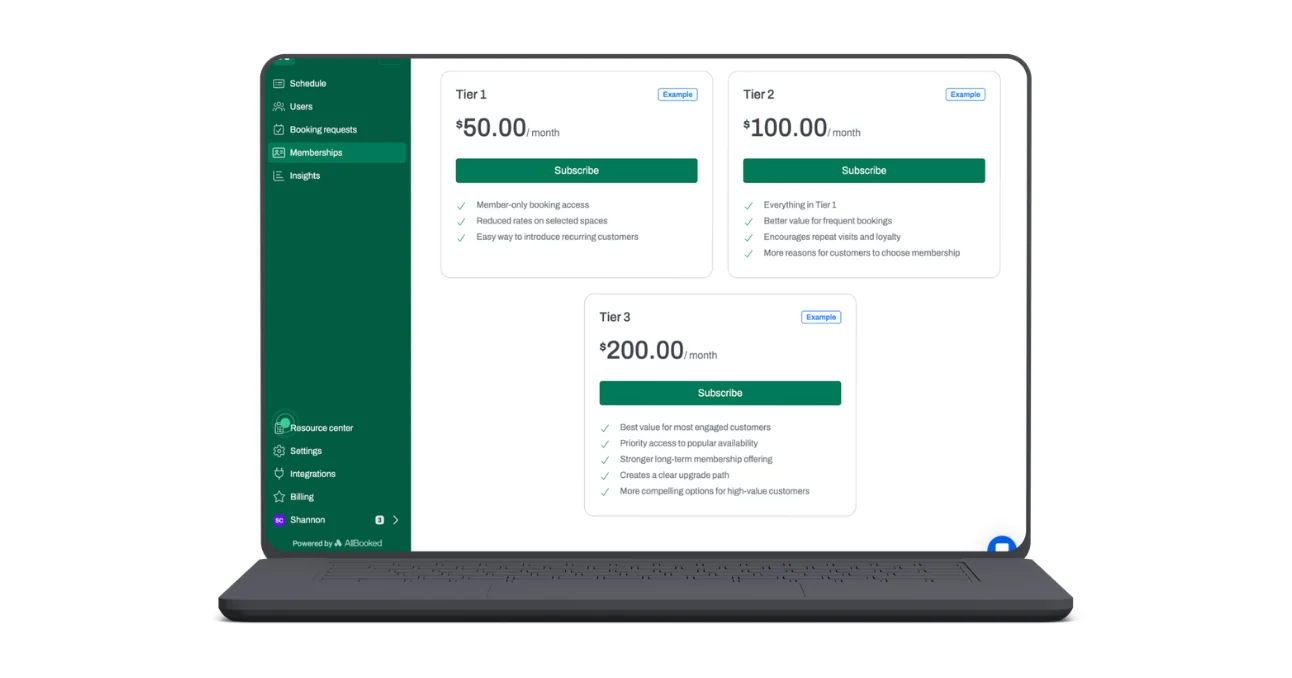
What’s better than getting a first-time customer through the door? Turning that visitor into a member. With AllBooked, you can turn more one-time purchases into recurring revenue.
- One-click membership links: Provide your customers with a one-click purchase link, making it super easy for them to become a member.
- Configurable membership rules: Set discounted booking rates and other member perks to keep this group happy and coming back for more.
Customer Process
Becoming a member is an easy experience with AllBooked. After getting set up with the one-click link, they can immediately start booking spaces. Their special rates and access are tied to their account, so they can experience the benefits of memberships immediately.
Being able to sync booking and memberships, and set booking rules specifically for members, is a standout feature. Layering in memberships is what will take your business from viable to profitable.
We wish the membership perks went a bit further, like a built-in loyalty program feature. But we’d consider this more of a wish list item than a deal breaker!
Automation Integrations
If you’re considering opening a 24/7 unmanned sim, AllBooked is your key to making it happen. With both Zapier and Seam integrations, you’ll be able to set up everything you need to keep your facility running from 12 to 12.
Setup
- Access control: Set access codes tied to booking windows, and configure after-hours entry for when no employees are present.
- Lighting and climate control: Automatically turn on lights and HVAC systems, synced with booking times.
Customer Process
When your customers arrive at their booking time, they’re able to easily access your facility with a code. When they walk in, lights are on and they’re ready to start their session, no employees required.
Being able to run a sim without employees is a game changer, but also a hard business model to pull off. AllBooked tackles some of the most challenging elements of this, like access and environment control.
In the spirit of this being a golf simulator booking software review and not a general venue review, we’d love to see more automation for the golf tech itself in the future. Currently you can set up integrations to fire up Trackman and Uneekor units upon arrival, but we’d love to see additional launch monitor units supported.
Analytics and Reporting
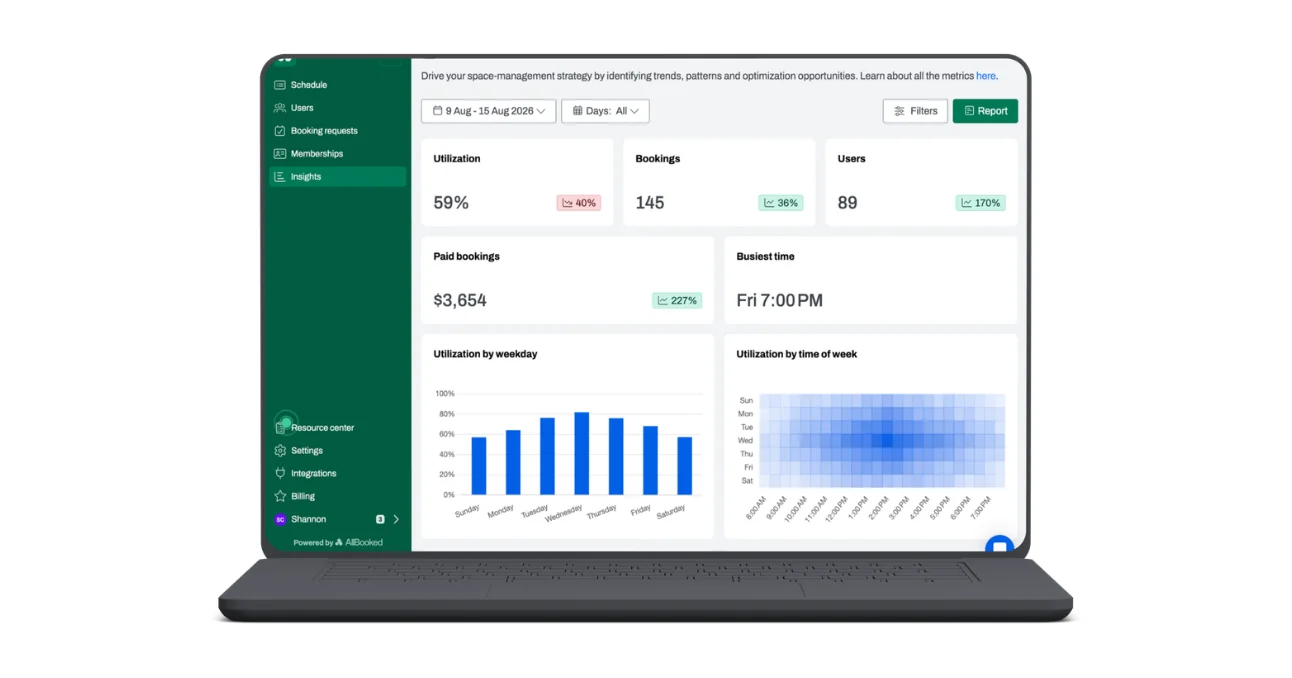
Keep your eye on the business side with AllBooked’s robust analytics and reporting.
- Utilization and pricing optimizations: See when bays are underused, and get help identifying discounts to fill that time.
- Booking patterns: Track trends over time so you can anticipate demand, and plan accordingly.
While analytics aren’t flashy, they’re the backbone of what keeps your business running. With AllBooked’s analytics, you go from guesswork to informed decision making.
Wrapping Up: Is AllBooked the Best Golf Simulator Booking Software?
AllBooked is the tool you need to keep your golf sim booked and busy. Between a high-end booking interface, integrated Stripe payments, easy member management, and unique automations, AllBooked has your sim business covered. While there are a few things we’d love to see in the future, like launch monitor automation integrations and lesson bookings, it’s pretty much a one-stop shop for the business side of opening your simulator venue.
Try AllBooked for your golf sim
If you’re building or already running a golf simulator business and want one powerful platform to handle bookings, payments, memberships, and after-hours access, AllBooked is worth a serious look.
Start a free trial Schedule a demo