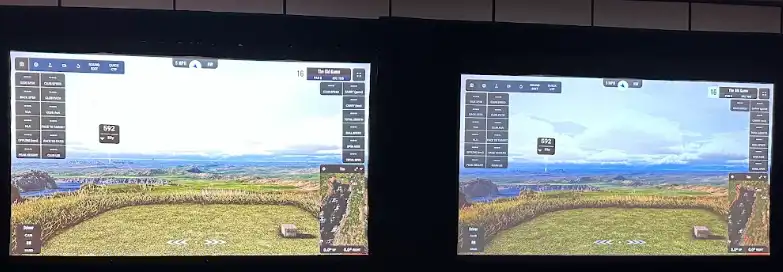
Two projectors, both 4K, both showing the same stretch of fairway. Within a few seconds I could tell the difference between them.
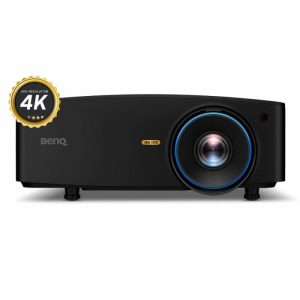
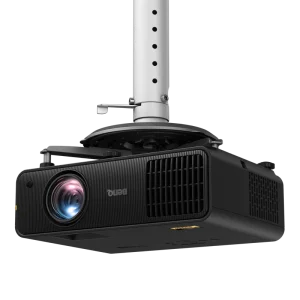
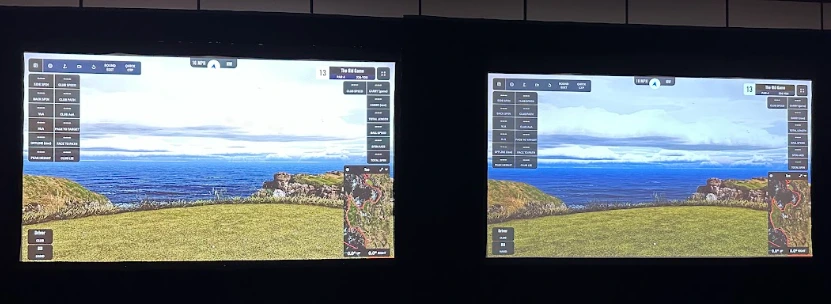
That was the setup at the Westin Dallas Stonebriar Golf resort last week, where BenQ gathered about twenty golf sim content creators — along with people from Uneekor and Carl’s Place — to introduce the AK900ST, its new golf simulator projector. Rather than lead with a slide deck, BenQ put the new unit next to a Panasonic VMQ65BU, a 6,500-lumen 4K laser LCD projector that is a legitimately strong commercial unit — which is exactly why the comparison means something. Both machines were fed the same course from the same software, on the same screen, under the same room lighting. The projector was the only variable.
What I saw
I went to the tall grass around the tee box first, because that’s where sim images usually give themselves away. On the Panasonic, the tall grass had a faint fizz to it: the moving grass shimmered with noise, like static sitting on top of the fairway. On the BenQ, the same blades waved in the wind without any noise and looked very natural. Color was the next tell. While both were very bright the BenQ’s colors read brighter and more like turf under real sun. And the detail separation was better: I could pick out details around the green with ease.
The thing I didn’t expect was depth. The BenQ image had a stronger sense that the water was down there and the green was out there . The exact depth cue that usually dies the moment a real course gets flattened onto a screen. If a sim’s whole job is to feel like golf from your mat, that’s the difference that matters most, and it’s why I kept drifting back to the left side of the wall.
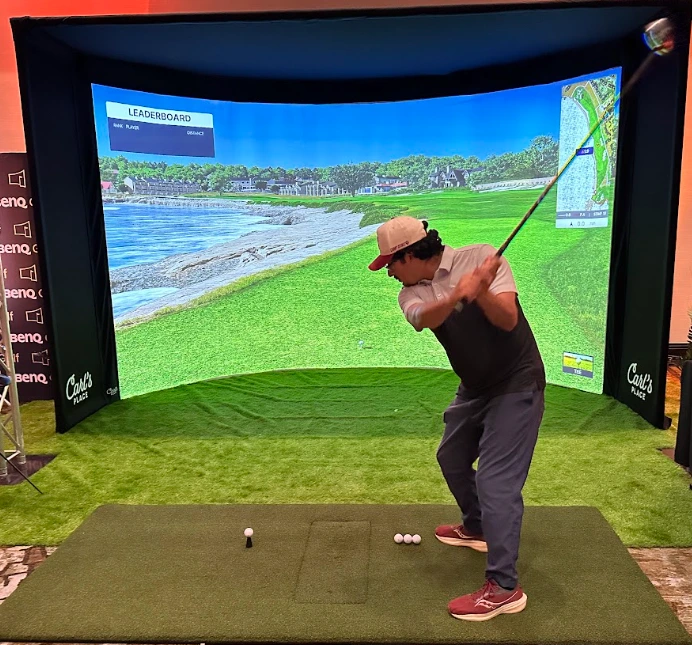
We also got to see the projector in a brightly lit room as well. There were two bays setup. One with a curved screen and one with a flat screen. We had a long drive and closest to the pin contest. Sadly, I did not win either. . .
The color story
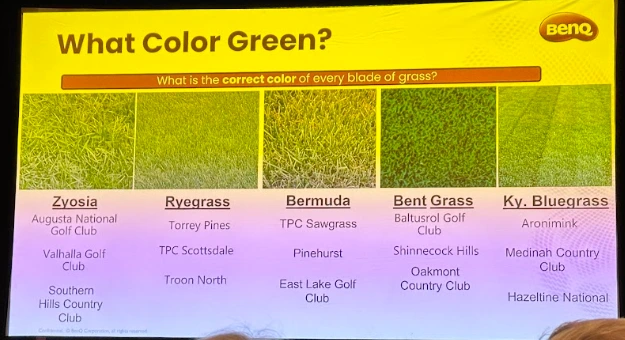
BenQ’s color pitch got its own slide, and it was a good one: “What Color Green?” with five turf swatches from five famous courses (Zoysia at Augusta, ryegrass at Torrey Pines, Bermuda at Pinehurst, bent grass at Oakmont, Kentucky bluegrass at Aronimink). All green. None the same. That was the point: a projector that flattens green into one shade makes every course look like the same course.
The AK900ST is Pantone-certified, meaning it passed testing to prove it can display exact, true-to-life colors, and it covers 97% of Rec. 709. I tried to capture the difference for this post; ironically, my photo would not come close to passing Pantone certification. . .
What the specs mean for your bay
The headline spec translates like this: the sealed IP5X laser engine means no filters to clean and no lamp to replace ever. It’s rated for 20,000 hours in Normal mode, 30,000 in Eco. If you run a facility and the projector is on twelve hours a day, you’re past four years of daily use before maintenance enters the conversation. And the sealing isn’t trivia. A sim bay is a dust machine, between turf fibers, ball residue, and whatever the garage door lets in.
Golf Mode 2.0 (BenQ calls the processing AI Sim Sense) layers frame-based processing, real-time contrast enhancement, and AI super-resolution aimed specifically at turf textures, greens, and fairway detail. There’s also a low-latency mode for high-frame-rate content. In sim terms, that’s ball flight: a 4K drive only reads as one smooth arc if the display keeps up with the frames.
Setup: the part that usually hurts
Two setup features stood out to me:
Curved screen warping. Pixel-level warping with progressive control points, built for curved enclosures and off-angle installs. Curved screens are the ones everyone wants and nobody wants to calibrate . One of the two demo bays, a curved Carl’s Place enclosure, was running exactly this kind of install.
Automatic screen detection. An integrated camera and TOF sensor that find the impact screen boundaries themselves, instead of you nudging corner points with a remote for an hour. I didn’t get to watch a full auto-calibration run at the event, so this is the first thing I’d want to test in my own space — showroom conditions are one thing; a real enclosure in a working bay is another.
The people in the room
The presentations came from Bob Wudeck of BenQ and PGA Professional Michelle Edgar. Bob shared that they focus on four things to make a great image: brightness, color, contrast, and resolution. Michelle added perspective from her experience as a coach that runs an indoor golf facility and does professional installs for consumers.
The guest list had a useful mix, too. Uneekor and Carl’s Place both had people there, showing a strong partnership across the companies in the golf simulator ecosystem.
Between sessions I finally met Avid Golfer, Triple Bogey Golf, Friendly Golfer, UBSEY Golf, and Muscle Mile Daddy. We had a great night a PopStroke sharing notes on our setups and experiences.
The verdict — and what I’d still need to know
Honest verdict: this is the first time I’ve watched a golf sim projector beat a serious commercial unit in a controlled side-by-side, and the maintenance-free engine alone is a real argument for anyone running public bays. BenQ put on a top-notch event. But a launch event can only tell you so much, and here’s what I’d want to confirm before recommending one for your bay:
- Price and availability. I believe it will be listed at $5,999 and available later in October via BenQ and through authorized BenQ resellers.
- Throw distance. The demo bay was built around this projector. Check the throw math against your actual distance to the screen and screen size.
- Your software. How it behaves with your launch monitor’s software color profiles, 4K handshake, aspect handling. It is the last mile, and it’s yours, not BenQ’s.
I came away impressed. I’d just like to be impressed in my own garage now 🙂

Reid is a veteran data leader who has held senior analytics roles at Fortune 500 companies. He brings that background to golf, using structured testing and large-scale golfer surveys to evaluate simulator performance, reliability, and value. He has played golf for more than 40 years and currently plays to a 5 handicap.
- Previously Chief Data and Analytics Officer at Markel
- Previously Vice President of Data Engineering at Capital One
- 40+ years playing golf, 5 handicap