Why Upgrade Your Garage Golf Simulator? (My Journey)
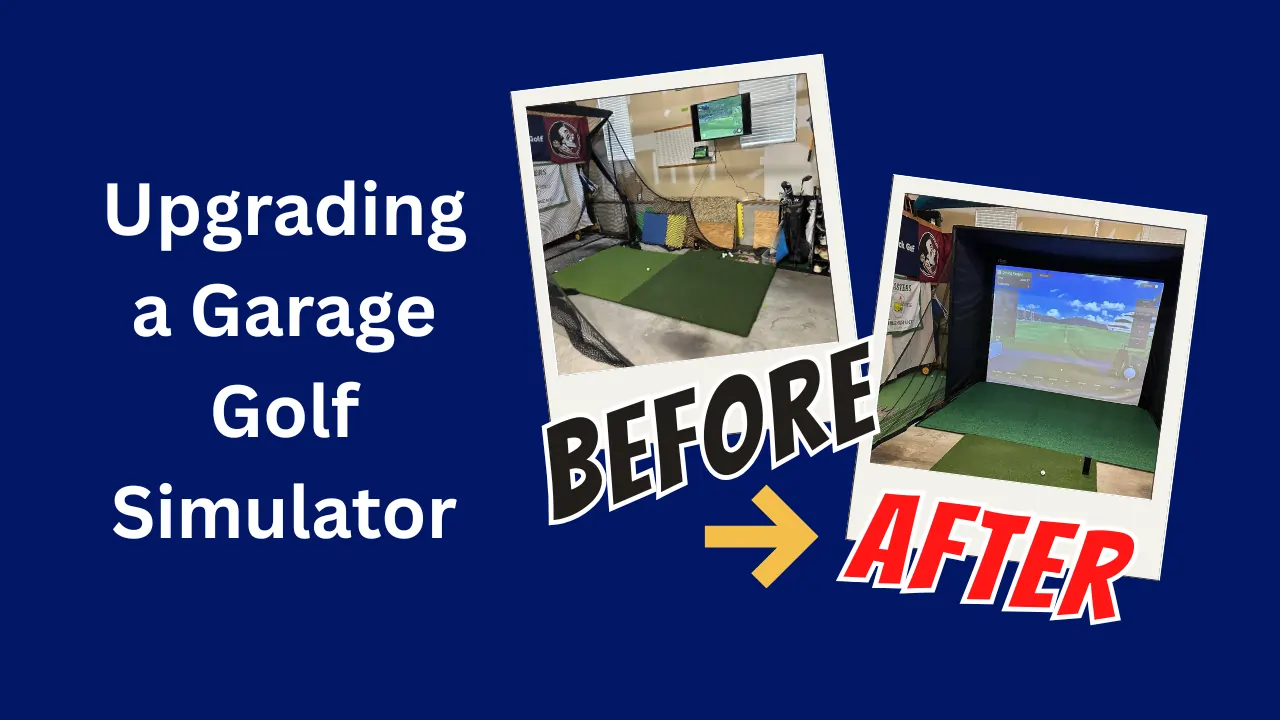
I’ll be honest, I was super excited when I set up my first simulator. For a long time, I was content hitting balls into a net with a TV mounted on the wall showing my swing data and my shots. It got the job done. I could practice my swing after work, track my distances, and scratch that golf itch without driving to the course. For a while, that was enough, but then I started to dream bigger. . .
The Problem With My Basic Garage Golf Simulator Setup
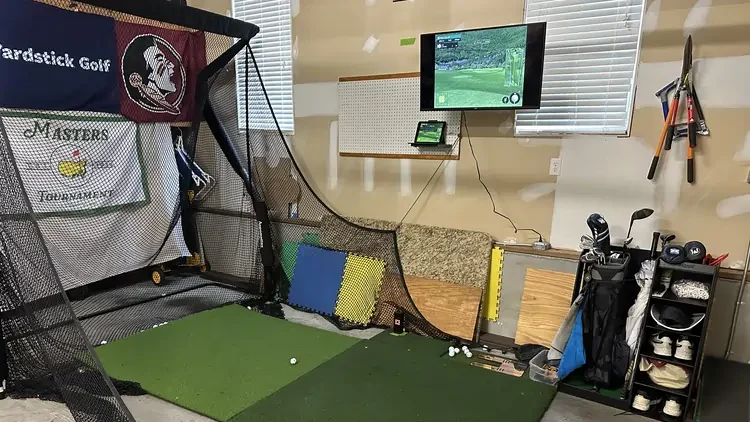
My buddies would come over, excited to try out the “golf simulator” I’d been bragging about. We had fun, played some holes, and had a few drinks, but it wasn’t ideal. Standing to the side of the simulator, walking around the net and looking sideways after a shot to see the tv took away from the experience. The net was also only about 7 feet wide, so we had a few that found their way to walls and frame pipes sending us ducking.
I got tired of digging the balls out of the net and trying to find tees against that went all over the place. I wanted something more immersive and a bit more impressive.
Building the Garage Golf Simulator I Wanted on a Budget
I sat down and made a list of what I actually needed this space to become:
More immersive. I wanted to feel like I was actually on a golf course, not just playing a video game. I wanted the garage to feel like a more premium space and better approximate the experience of a higher end facility.
Friend-approved. Let’s face it, golf is better with buddies. I wanted a setup that would impress my friends enough that they’d actually want to come back. Something we could turn into regular game nights—skins games, closest to the pin competitions, maybe even a beer or two while we played 9 holes.
Safer and more reliable. No more worrying about errant shots damaging the garage, my wife’s car, or worse—someone’s face. I needed a proper impact screen and enclosure that could handle full-power drives without making me flinch every time someone made contact.
Wife-friendly. This was non-negotiable. My wife had to be able to park her car in the garage without doing gymnastics around my golf setup. The simulator needed to work around our life, not the other way around.
Budget-conscious. Here’s the thing—I’m not made of money. I’d already invested in a launch monitor and some basic equipment. I didn’t want to throw all that away and start from scratch with a $30,000 professional setup. I needed to upgrade smartly, keeping what worked and replacing what didn’t.
The Planning Process
I began by evaluating my space. How big of an enclosure could I fit? Which direction would the simulator enclosure face? Where would I put the projector? I drew up a plan showing the current and planned space. I wanted to make sure I did it right.
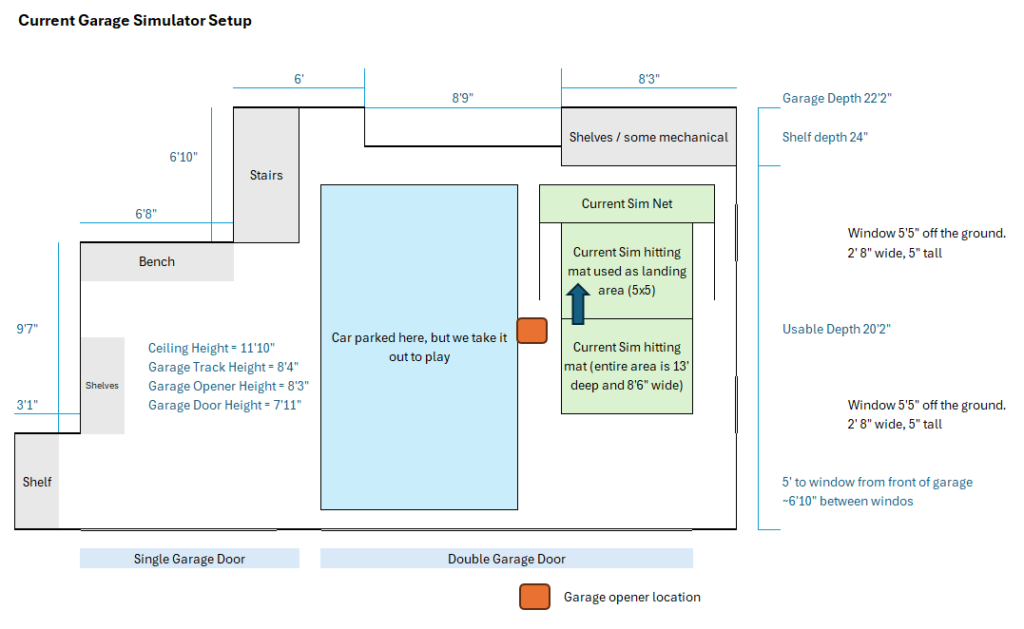
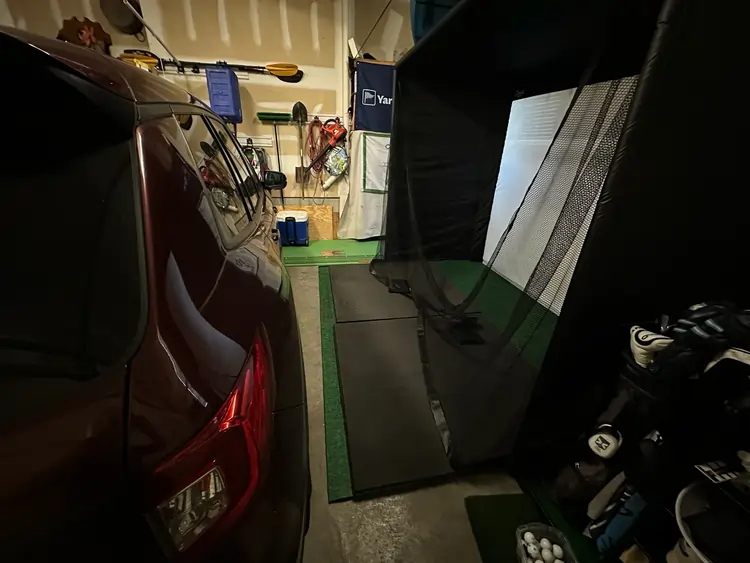
I was fortunate to have enough ceiling height, but I lacked the width to put an enclosure in the same orientation and still park my car, so I decided to move the enclosure to the side and hit towards the side wall of the garage. That said, I would need a design that I could put away when it was time to park the car. I will be hitting about 10′ from the screen, but when parked, the side of the car will be about 8′ from the screen. My plan is to flip the hitting mat onto the landing pad when the simulator is not in use.
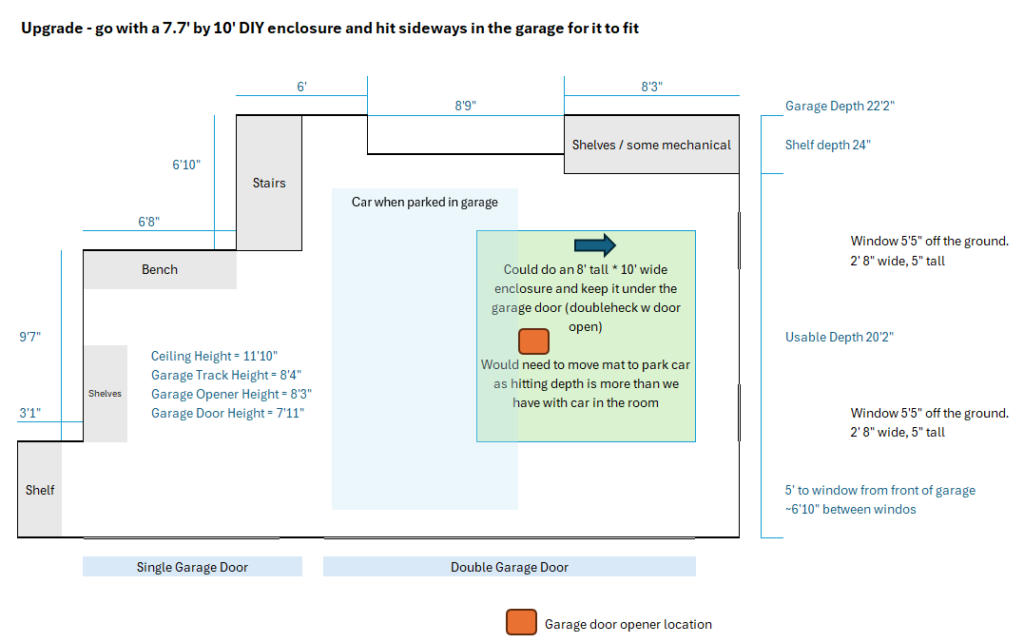
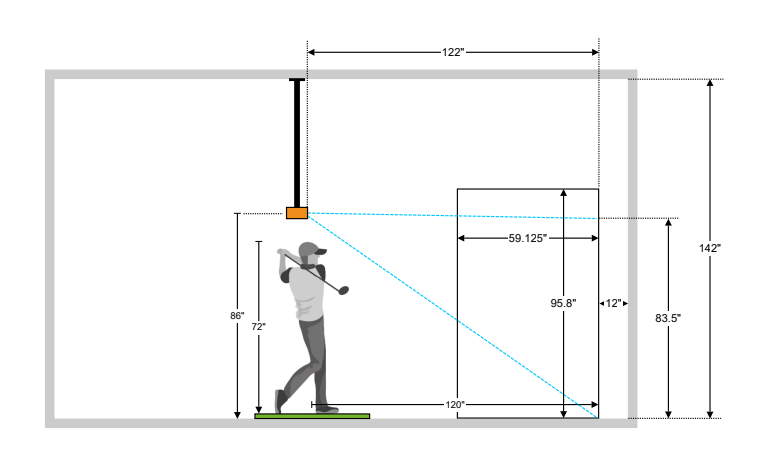
I was pretty confident I could make this work, but really wanted a second opinion. Carl’s Place customer service was awesome. They answered all my questions about the enclosure kits, screens, padding and more. I shared my drawings in an email and they even gave me a 3D view of my space to help validate my plan. The service technician also helped me avoid purchasing the wrong projector. I had the throw ratio wrong on the one I was targeting. He noticed that in my plan and called it out in his email back to me. I am very appreciative he saved me the headache of learning that the hard way.
The Garage Simulator Upgrade Goal: Best Bang for My Buck
Now that I had a solid plan and knew all my dimensions, I set out to order the equipment. I wanted to make my investment go as far as possible, so I identified the core items I was keeping. These were my Square Golf launch monitor and Bullseye hitting mat. I was going to upgrade everything else.
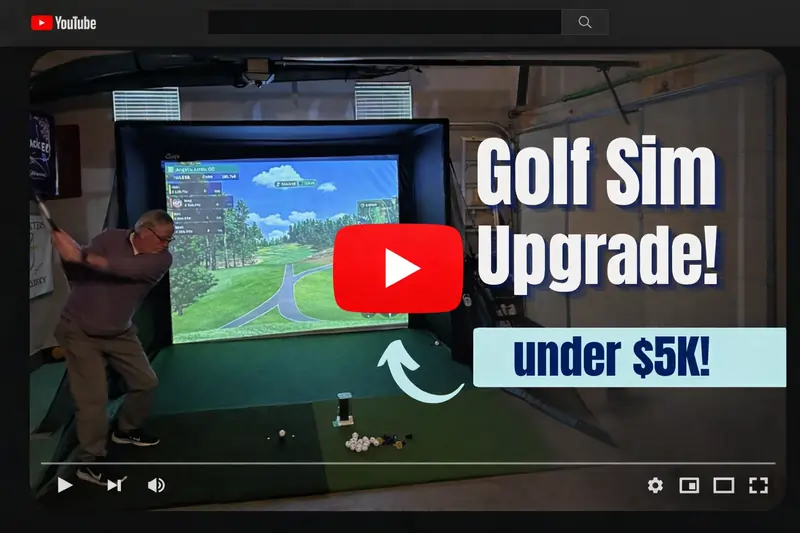
After an extensive search, I decided to go with the Carl’s Place DIY Golf Enclosure Kit with Impact Screen. Check out my video of the entire build on YouTubeL
The DIY Kit cost just over $2k and it included a vast majority of what I needed:
- Golf simulator enclosure pipe frame kit
- Carl’s preferred impact screen
- Foam padding insert kit
- 8′ net wall extensions
- Safety baffle
A few other purchases I made to complete the setup:
Projector – I went with the BenQ LU710 because it had the right throw ratio for my needs and had a very impressive 4,000 lumen laser light source. It has a 20k hour bulb life and an IPX5 dustproof rating (great for my dusty garage)
Projector mount – I needed a pretty big drop here and some adjustability so I went with the a universal projector mount off Amazon.
Landing pad – This is where I chose to save some money for now. I found the standing mats at Harbor Freight for about $80 and the Project Source 8 x 10 (ft) needle punch polyester green area rug at Lowes for $45. Together these ended up pretty close to my Bullseye mat height of about 1.25″. The turf putts reasonably well and I won’t be upset if I have to adjust this later as I’m only in it for about $125.
The Garage Simulator Build
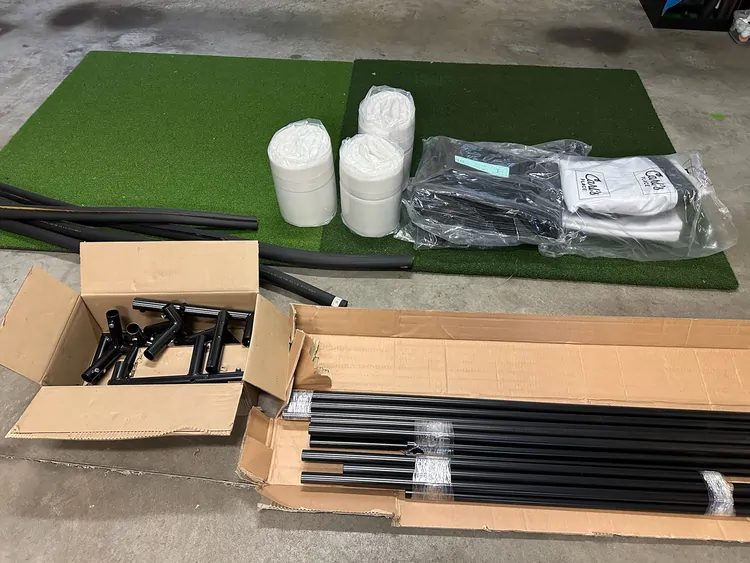
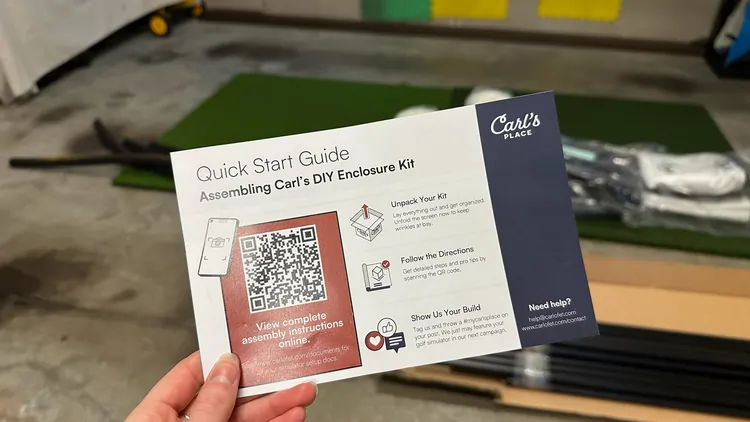
The enclosure kit from Carl’s Place came first. It was packaged very nicely with everything clearly labeled and was easy to get organized to start my build. The quick start guide provided a QR code that took me directly to an instructional video showing step-by-step how to build the enclosure. I probably watched each section 2-3 times during the course of the build.
I began by laying out where I wanted everything and started to build the frame base, then the uprights, then the crossbars. While not a super quick 1 person job, it was very straight forward and difficult to do incorrectly. The pieces come together very nicely. It probably took me a little over an hour to put together the frame and wrap the enclosure fabric around it. I did take an extra step to wrap the front frame with rubber pipe insulation of a bit of extra safety.
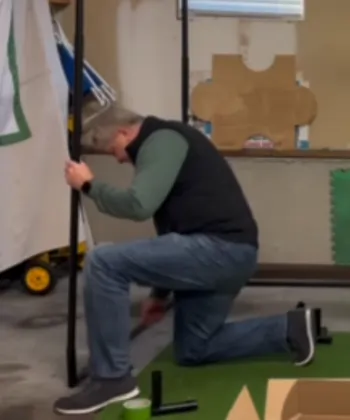
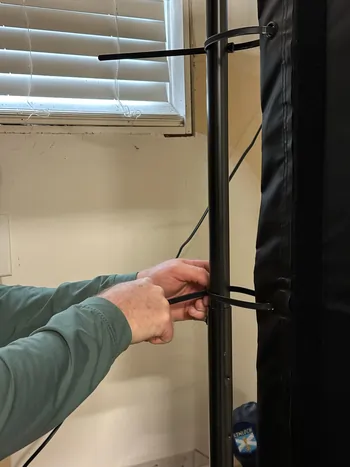
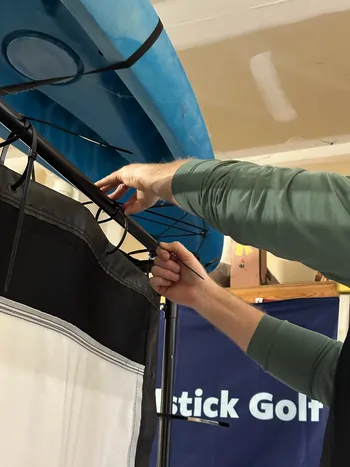
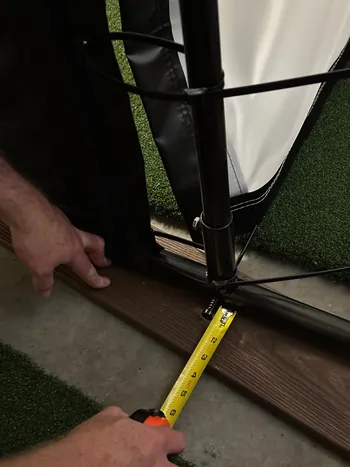
Above are a few shots of the building the garage golf simulator enclosure, and hanging the impact screen. The DIY kit from Carl’s came with all the zip ties I needed for the installation. The instructions were super helpful and the video gave me the confidence to know I was installing everything correctly.
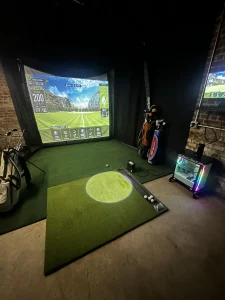
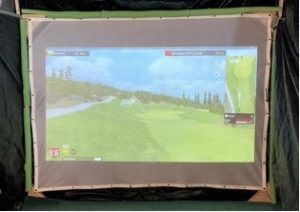
Once assembled, the frame is very solid. The enclosure fabric fit around it snugly, but not so tight to make it hard to install. The DIY kit is a good quality fabric and the foam does a great job deflecting balls. I am really impressed how finished everything looks and how good the image is on the screen. I have a picture below showing the final build with the lights on in the garage during the day and the picture on the screen is quite sharp.
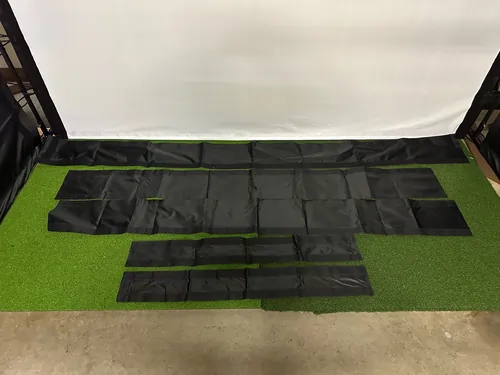
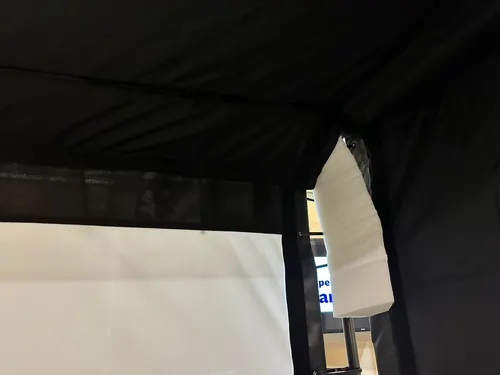
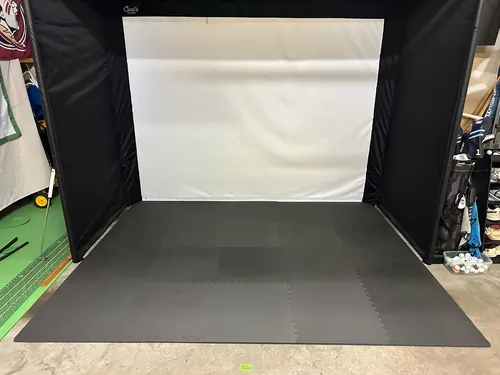
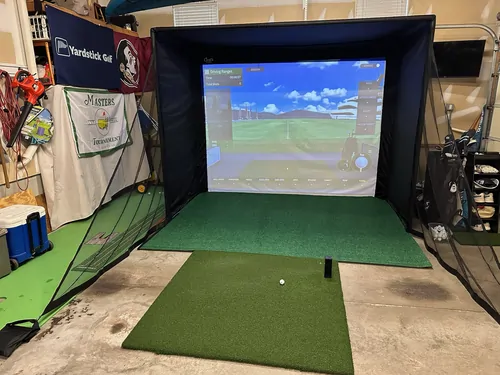
These last few shots show the installation of the frame padding and the landing turf. The frame padding connects to the enclosure via velcro on the sleeves. I found it easiest to connect the velcro and then put the foam padding on and then wrap it and connect the other side velcro to the enclosure. You will note that the foam padding wraps around the corners like the second image and you will likely have to cut a bit of the foam padding off the bottom to make it fit.
The landing turf was where I really went budget. Harbor freight had some good anti-fatigue mats on sale. A 4 pack of 25×25 interlocking squares with removable edge pieces for $13 each (I did 5 packs to cover 8×10). On top of that I used the Project Source 8 x 10 (ft) needle punch polyester green area rug at Lowes for $45 (I wanted to get the Grizzly Grass but it was out of stock). All in $125. Putts pretty well, looks ok, and is a nice inexpensive landing pad for my sim.
Picking the Right Projector: Sorting Through the Options
Picking a projector turned out to be one of the more involved decisions in this build. I’d done my research for other articles on golf simulator projectors, so I knew the key specs that mattered—brightness, throw ratio, resolution, and longevity. But knowing what to look for and actually choosing the right one for my specific garage setup were two different things.
Understanding What Actually Matters in a Golf Simulator Projector
Golf simulator projectors have different requirements than your typical home theater setup. You’re dealing with ambient garage lighting, textured impact screens, and often shorter throw distances than you’d have in a dedicated media room.
Here’s what I knew I needed to prioritize:
Brightness (lumens). Garages aren’t dark rooms. Even with the door closed, light leaks in from windows, door gaps, and overhead fixtures. For daytime use without blacking out your space, you need at least 3,000 lumens—preferably 4,000+ if you want a crisp, vibrant image that doesn’t wash out.
Throw ratio. This is the relationship between the projector’s distance from the screen and the image size it produces. Get this wrong and you’ll either have an image that’s too small, too large, or impossible to fit your screen properly. I needed to measure my space carefully and match it to a projector that would work at my mounting distance.
Resolution. 1080p is the sweet spot for most simulator setups. It delivers sharp, detailed images without the massive cost jump to 4K. Unless you’re building a premium setup with money to burn, 1080p handles simulator software beautifully.
Light source. Traditional lamp-based projectors need bulb replacements every 2,000-4,000 hours at $150-300 per bulb. Laser projectors last 20,000+ hours with consistent brightness and zero maintenance. The upfront cost is higher, but the long-term value is undeniable.
Dust resistance. Garages are dusty environments. A projector with good dust protection (ideally IPX5 rated or higher) will last significantly longer without maintenance or premature failure.
Calculating My Throw Distance Requirements
Before I could narrow down projector options, I needed to nail down my throw distance. In my garage layout, the projector would be ceiling-mounted approximately 12 feet from the impact screen.
I wanted to fill my screen edge-to-edge without distortion, which meant I needed a projector with a throw ratio that worked at that distance. Most manufacturers list throw ratios in their specs, but to be safe, I ran my dimensions by Carl’s Place customer service when I shared my garage layout drawings.
That turned out to be a smart move. They confirmed my calculations and helped me identify projectors that would work perfectly in my space. Having that validation gave me confidence I wasn’t about to make an expensive mistake.
Why I Chose the BenQ LU710
After sorting through the options and cross-referencing what would work in my space, I landed on the BenQ LU710. Here’s why it checked all my boxes:
4,000 lumens laser brightness. This projector is seriously bright. I can run it during the day with my garage lights on and still get a vibrant, clear image on the impact screen. No need to create a cave-like environment just to see what I’m doing.
Perfect throw ratio for my 12-foot distance. At my mounting distance, the LU710 fills my impact screen perfectly with no distortion or awkward cropping. The image fits edge-to-edge exactly as I needed.
20,000-hour laser lifespan. Even if I use this 10 hours per week (which would be a lot), I’m looking at a decade or more before I need to worry about the light source. No expensive bulb replacements, no gradual dimming over time.
IPX5 dustproof rating. My garage gets dusty, especially during certain times of year. The LU710’s sealed design and dust resistance mean I don’t have to worry about maintenance or premature failure from garage conditions.
Native 1080p resolution. The image quality is excellent. Crisp enough to read all the on-screen data, vibrant enough to make the virtual courses look great, and well-suited to the simulator software I’m running.
The BenQ LU710 cost around $1,800, which put it in the higher end of my budget for this component. But given the performance, longevity, and the fact that it perfectly matched my space requirements, it was the right investment. The projector is what you look at every single time you use the simulator—it needed to be good.
Lessons Learned and What I’d Do Differently
Looking back on this project, there are definitely a few things I’d change if I were doing it again—and a few decisions I’m really happy I made.
What I’m Glad I Splurged On
The Carl’s Place enclosure kit. I briefly considered piecing together my own DIY enclosure with PVC pipe and a cheaper net, thinking I could save a few hundred bucks. I’m so glad I didn’t. The quality of the Carl’s Place kit, the clear instructions, the customer service support—it all added up to a professional result without the headaches of figuring it out myself.
The projector. Hands down, the BenQ LU710 was worth every penny. I could have saved $800-1,000 by going with a cheaper option, but I would have been dealing with dim images during daytime play, bulb replacements every few years, and probably buyer’s remorse every time I turned it on. The brightness and laser longevity have been game-changers.
What I’m Glad I Saved Money On
The landing pad. My Harbor Freight mats and Lowe’s turf solution has held up surprisingly well. I don’t have a stimp meter but the putting on it is pretty fast as well. Sure, it’s not as plush as a $600 premium landing pad, but it does the job and I’m only into it for $125. If it needs replacing in a year or two, I’m not going to lose sleep over it. I can always upgrade later if I decide I want something nicer.
Keeping my existing launch monitor and hitting mat. My Square Golf launch monitor was already doing great, and my Bullseye mat still had plenty of life left. There was no reason to replace perfectly good equipment just for the sake of upgrading. I saved probably $3,000+ by focusing my budget on the components that would actually transform the experience.
Mistakes I Made (So You Don’t Have To)
Not measuring twice. I measured my garage carefully for the enclosure placement, but I didn’t think through the power source for my projector and AppleTV (Airplay iPad to projector) until I was mid-install. I ended up having to run out and buy an extension cord and outlet strip I could mount to the ceiling as there was only one plug available. The other one was used by my garage door opener. I may also need to run a cable to the projector as the Airplay solution has introduced some flicker I did not get on the TV. Measure everything, plan your power and data runs, then measure again.
Underestimating assembly time. I thought I could knock out the enclosure build in an hour. It took me closer to two and a half hours, mostly because I was being extra careful and watching the video instructions multiple times. That’s not a criticism of the kit, it’s just reality. Block out a half day for the build, not a quick afternoon project.
Not looking into AppleTV to projectors a bit more. I initially got a lot of image flickering that was caused by a signal handshake mismatch between your iPad/Apple TV and the projector’s laser engine. I had to spend some time getting the AppleTV settings to match what the projector needed.
What I’d Do Differently Next Time
Add ambient lighting from the start. I’ve been using the existing garage lighting, which works fine but isn’t ideal. I wish I’d planned for some LED strip lighting or smart bulbs that I could dim during play. It would add to the immersion and make the whole space feel more polished.
Consider a ball return system. I’m still manually picking up balls after each shot, which isn’t a huge deal but can break the flow when you’re in a rhythm. An automatic ball return would be a nice quality-of-life upgrade. It wasn’t in my budget this time around, but it’s on my wish list for future improvements.
Common Garage Golf Simulator Questions
Over the past few months since completing this build, I’ve had a lot of friends, neighbors, and online folks ask me questions about the setup. Here are the most common ones:
What’s the minimum garage size you need for a golf simulator?
For a functional setup, you need at least 10 feet wide, 15 feet deep, and 9 feet of ceiling height. My garage is a standard three-car with high ceilings, which gave me plenty of room to orient the simulator sideways and still park my wife’s car.
If you have a smaller space, you can make it work, but you’ll need to be more creative with placement and possibly compromise on hitting distance or screen size. Measure your space carefully and work with a company like Carl’s Place to design a layout that fits.
Can you really park a car with the simulator setup?
Yes! That was one of my non-negotiables. My wife parks in the garage every single day without any issues. The key was orienting the simulator toward the side wall instead of the back wall, and using a hitting mat I can flip up onto the landing pad when we’re not using it.
When the simulator’s not in use, the enclosure sits along the side wall, the mat is folded up, and there’s a clear path for the car to pull straight in. It takes about 30 seconds to flip the mat back down and we’re ready to hit balls.
How long does installation actually take?
Plan for a full day if you’re doing everything yourself. The enclosure assembly took me about 2.5 hours, the projector mounting and alignment was another hour, and then there was time for cable management, setting up the computer, calibrating the launch monitor, and troubleshooting a few minor issues.
If you have a helper, you can probably shave a couple hours off that. The projector mounting especially goes much faster with two people.
What’s the maintenance like?
Honestly, it’s minimal. I wipe down the impact screen every few weeks to keep it clean, occasionally check that the enclosure frame connections are tight, and make sure the projector vents aren’t blocked. That’s about it. Make sure your buddies come with clean clubs and use your own clean balls.
The laser projector means no bulb changes, the Carl’s Place screen is durable and low-maintenance, and the hitting mat just needs a quick vacuum or brush now and then. It’s way less upkeep than I expected.
Is it loud? Will it bother neighbors or family?
The impact screen does a great job absorbing the sound of ball strikes. It’s not silent. You’ll definitely hear the thwack of contact, but it’s not nearly as loud as hitting into a net or hitting real balls at the range.
Inside the house, my wife says she can hear when I’m out there, but it’s not disruptive. If you’re playing late at night, just be mindful, but during normal hours it’s really not an issue.
Do you need climate control for year-round use?
I don’t have climate control in my garage, and I use the simulator year-round in Richmond, VA. In the summer, it gets warm, but a fan helps. In the winter, it gets cold, but honestly, swinging a club warms you up pretty quickly.
If you live somewhere with extreme temperatures, you might want to add a space heater for winter or a portable AC unit for summer. But for most climates, you can get by without it. I just dress appropriately and it’s fine.
What’s the best launch monitor for a garage setup?
This depends heavily on your budget and space. I use the Square Golf launch monitor, which has been great for my needs. It has accurate ball data, works well in my garage lighting, and doesn’t require a ton of depth behind the hitting area.
Other popular options include the SkyTrak, Garmin Approach R10, and if you want to go premium, the Foresight GC3 or Uneekor models. The key is matching the launch monitor’s requirements (lighting, space, mounting) to your specific garage setup.
How much did the whole upgrade cost?
All in, this cost about $4,200:
- Carl’s Place DIY Enclosure Kit with Impact Screen: ~$2,000
- BenQ LU710 Projector: ~$1,800
- Projector Mount: ~$150
- Landing Pad (Harbor Freight mats + Lowe’s turf): ~$125
- Miscellaneous: ~$125
That doesn’t include my existing launch monitor, hitting mat, and computer, which I already owned. If you’re starting from scratch, budget another $2,000-4,000 for those components depending on which models you choose.
Is a golf simulator worth it for a garage?
For me, absolutely. I use it 3-4 times per week, my friends come over regularly to play, and it’ll pay for itself in entertainment value in no time.
But it depends on your situation. If you’re a serious golfer who plays year-round, loves practicing at home, and has friends who enjoy golf, it’s a no-brainer. If you only play occasionally or don’t have the space to do it right, you might be better off just hitting the range.
The key is being honest about how much you’ll actually use it. If you build it and it becomes your go-to practice tool and hangout spot, it’s worth every penny. If it sits unused for weeks at a time, maybe not so much.
Final Thoughts: Was This Garage Golf Simulator Upgrade Worth It?
I’m not going to bury the lead here: this upgrade completely transformed my garage golf simulator experience, and I wish I’d done it sooner.
What Changed (Besides the Equipment)
The immersion factor. Seeing a full-screen image of Pebble Beach or St. Andrews with accurate ball flight tracking makes you feel like you’re actually there. It’s not just data on a screen anymore—it’s golf.
The social element. My friends actually want to come over and play now. Before, inviting them to hit balls into a net felt like I was asking them to humor me. Now, they’re texting me asking when we can get a round in. That alone made this upgrade worth it.
The safety and peace of mind. No more flinching when someone makes contact, hoping the ball doesn’t ricochet into something expensive. The impact screen handles full-power drives without issue, and the enclosure keeps everything contained. My wife can park her car without worrying about stray balls, and I can let friends’ kids take swings without anxiety.
The wife approval rating. This might be the most important metric. My wife is genuinely happy with the setup now. She can park easily, the space looks finished and intentional rather than cobbled together, and she actually enjoys watching when I play. Happy wife, happy life—and happy simulator time.
The Honest Cost-Benefit Analysis
I spent about $4,200 on this upgrade. That sounds like a lot, but let’s break it down:
- Range fees in my area are $15-20 per bucket. If I’m hitting balls 3-4 times per week, that’s $60-80 weekly, or roughly $3,000+ annually.
- Playing actual rounds costs $40-80 depending on the course. Even a modest 2 rounds per month is another $1,000+ per year.
- Entertainment value: My friends and I used to go to Topgolf or other entertainment venues regularly. Those nights easily cost $100+ per person. We do simulator nights instead now.
From a pure financial perspective, this setup will pay for itself in about 18 months of use. And that doesn’t account for the convenience factor—I can practice at 9 PM on a Tuesday in my pajamas if I want to.
What I’d Tell Someone Considering This
If you’re on the fence about upgrading your garage golf simulator setup, here’s my advice:
Do it if:
- You genuinely love golf and practice regularly (or want to)
- You have the space to do it right
- You have friends or family who will use it with you
- You’re willing to invest in quality components that will last
Don’t do it if:
- You’re a casual golfer who only plays a few times per year
- Your space is too small to accommodate a proper setup
- You’re expecting it to magically make you a scratch golfer overnight (it won’t, but it will help you practice more effectively)
- You’re not willing to invest in at least the core components that make the experience good
My Only Regret
I waited too long to do this. I spent almost a year thinking about it, researching, and convincing myself I didn’t really need it. Looking back, I should have just pulled the trigger sooner.
The simulator has become one of my favorite parts of my house. It’s my escape after a long workday, my weekend entertainment with friends, and my way of staying sharp when I can’t get to the course. The upgrade took a mediocre practice net and turned it into something I’m genuinely proud of.
If you’re reading this and thinking about upgrading your own setup, stop overthinking it. Measure your space, set a realistic budget, invest in quality components where it matters, and get it done. You won’t regret it.
Now if you’ll excuse me, I have a tee time at Pinehurst #2—in my garage.