A golf swing camera shows you what your swing is actually doing instead of guessing. The right one gives you slow-motion video, consistent angles and clear impact footage, so you (and your coach) can spot issues fast, especially in a home simulator or garage setup.
The best choice depends mostly on your launch monitor. If you already own a Trackman, Foresight or Uneekor system, its own camera syncs video with your shot data automatically. If you don’t, a plug-and-play USB camera or a portable DJI gives you great video on any setup.
Clint McCormick, a full-time golf teaching professional with 20 years of simulator experience, tested all seven cameras in his own bay and on the range, looking at image quality, setup, lighting needs and how well each one works with launch monitor software. See how we rate golf gear.
Best golf swing cameras: quick comparison
| Camera | Best for | Connection | Works with |
|---|---|---|---|
| Carl’s Swing Camera Set | Best overall | USB | Uneekor software, Kinovea (free) |
| Trackman Swing Camera | Trackman owners | USB, 120fps | Trackman iO, Trackman 4 |
| Foresight Swing Camera | Foresight owners | USB | FSX Play (up to 2 angles) |
| DJI Osmo Pocket 3 | Portable | 4K at 120fps, standalone | No shot-data sync |
| Uneekor Swing Optix | Uneekor owners | USB 3.0, 2 cameras | Uneekor VIEW |
| IFWATER USB Camera | Budget | USB, varifocal lens | Third-party software |
| Uneekor Performance Optix | Turnkey package | Cameras + Balance Optix mat | Uneekor VIEW |
The best golf swing cameras: reviews
Carl’s Golf Swing Camera Set
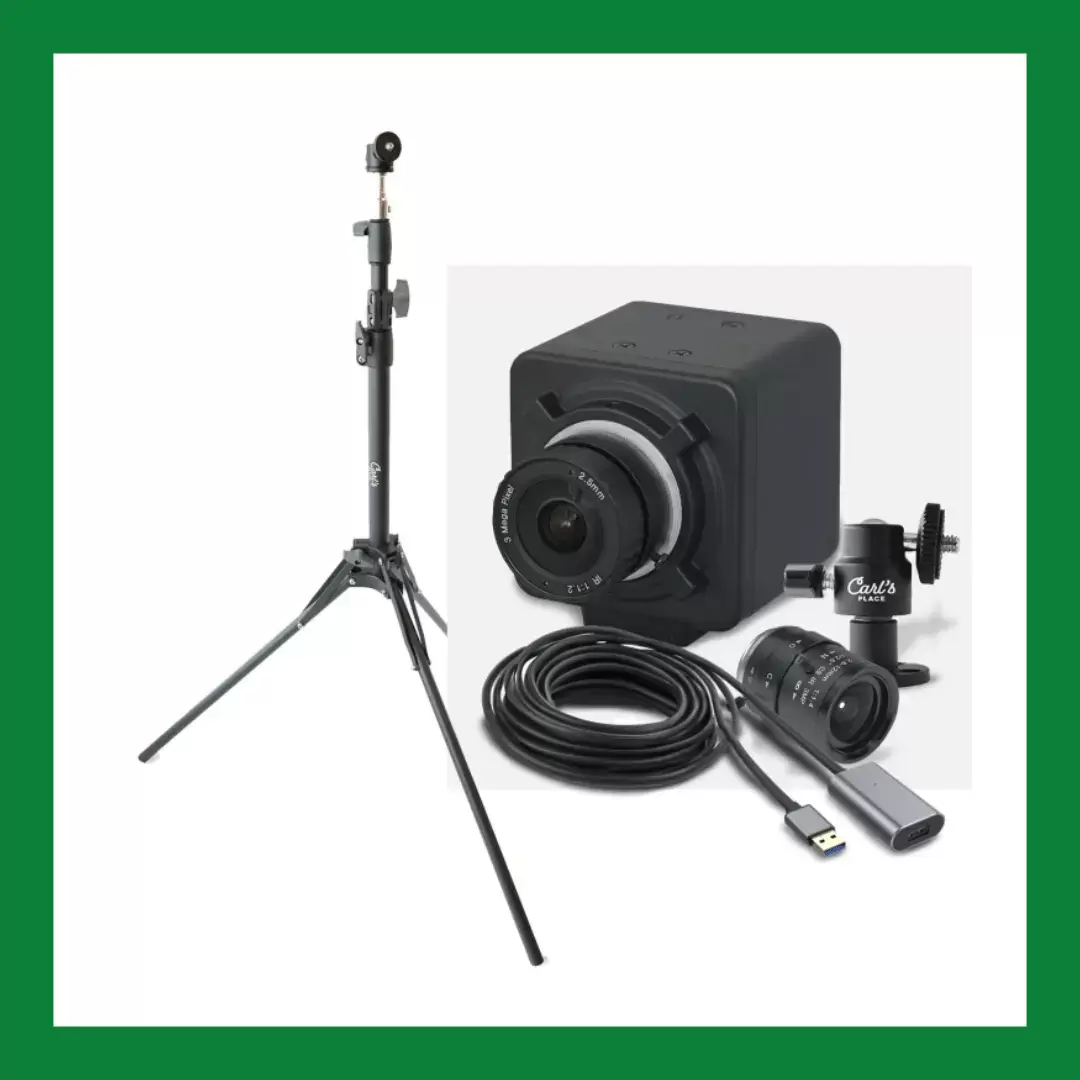
“If you’re already building your sim around Carl’s Place gear, this set is a no-brainer: the camera mounted right to my enclosure, plugged in, and I was capturing clean high-frame-rate swing footage in about ten minutes. The video is sharp enough to catch the subtle stuff, like cupping at the top or early extension. My one complaint is that it demands good lighting; in my dim garage the footage gets grainy fast unless I aim a floodlight at the hitting zone.”
Carl’s Golf Swing Cameras are plug-and-play USB cameras built for swing analysis. They work with Uneekor’s software, and if you don’t want to pay for software, Carl’s Place recommends the free Kinovea swing analysis app. A wall mount, tripod, zoom lens and 15-foot USB extension are available as add-ons.
Connection: USB. Works with: Uneekor software, Kinovea (free).
| Pros | Cons |
|---|---|
| Set up in about ten minutes Sharp enough to spot cupping and early extension Works with free Kinovea software Mounts right to an enclosure |
Needs good lighting or footage gets grainy Mounts and tripod are sold separately |
Trackman Swing Camera
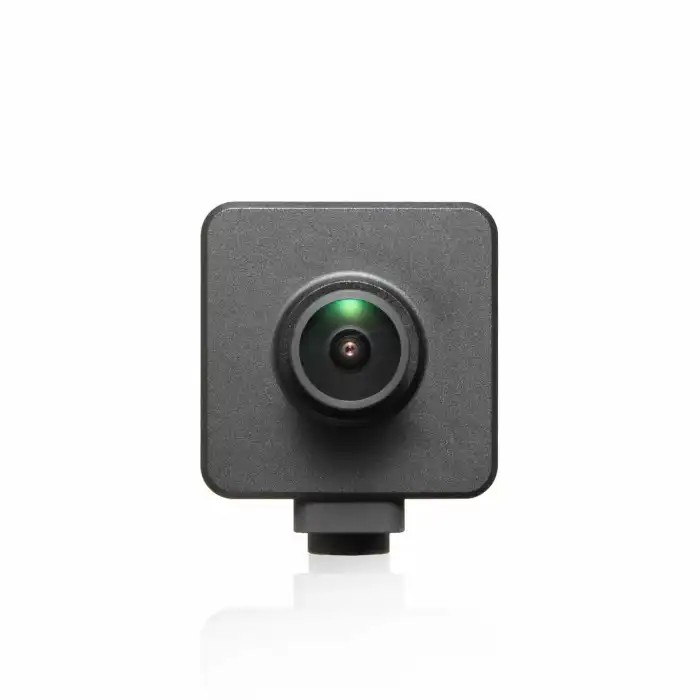
“What I love about TrackMan’s camera is that I don’t have to think about it. Every shot automatically captures video and syncs it with my numbers in the app, so reviewing a bad shot is instant. The image quality is great for impact and ball flight review. Where it falls short is multi-angle work: for proper face-on and down-the-line slow-mo, I still end up propping up my phone or adding external cameras, which feels like extra homework on a unit this expensive.”
The Trackman USB Swing Camera records at 120fps and is built for Trackman iO and Trackman 4 launch monitors. It comes with a standard or wide lens. The kit includes a 5 meter cable, a 1 meter extension and a mounting adapter.
Connection: USB. Frame rate: 120fps. Works with: Trackman iO, Trackman 4.
| Pros | Cons |
|---|---|
| Auto-captures every shot Video synced with your Trackman numbers Great for impact and ball flight review Standard or wide-angle lens |
One camera, so multi-angle work needs extra cameras Only for Trackman systems Expensive for a single camera |
Foresight Golf Swing Camera
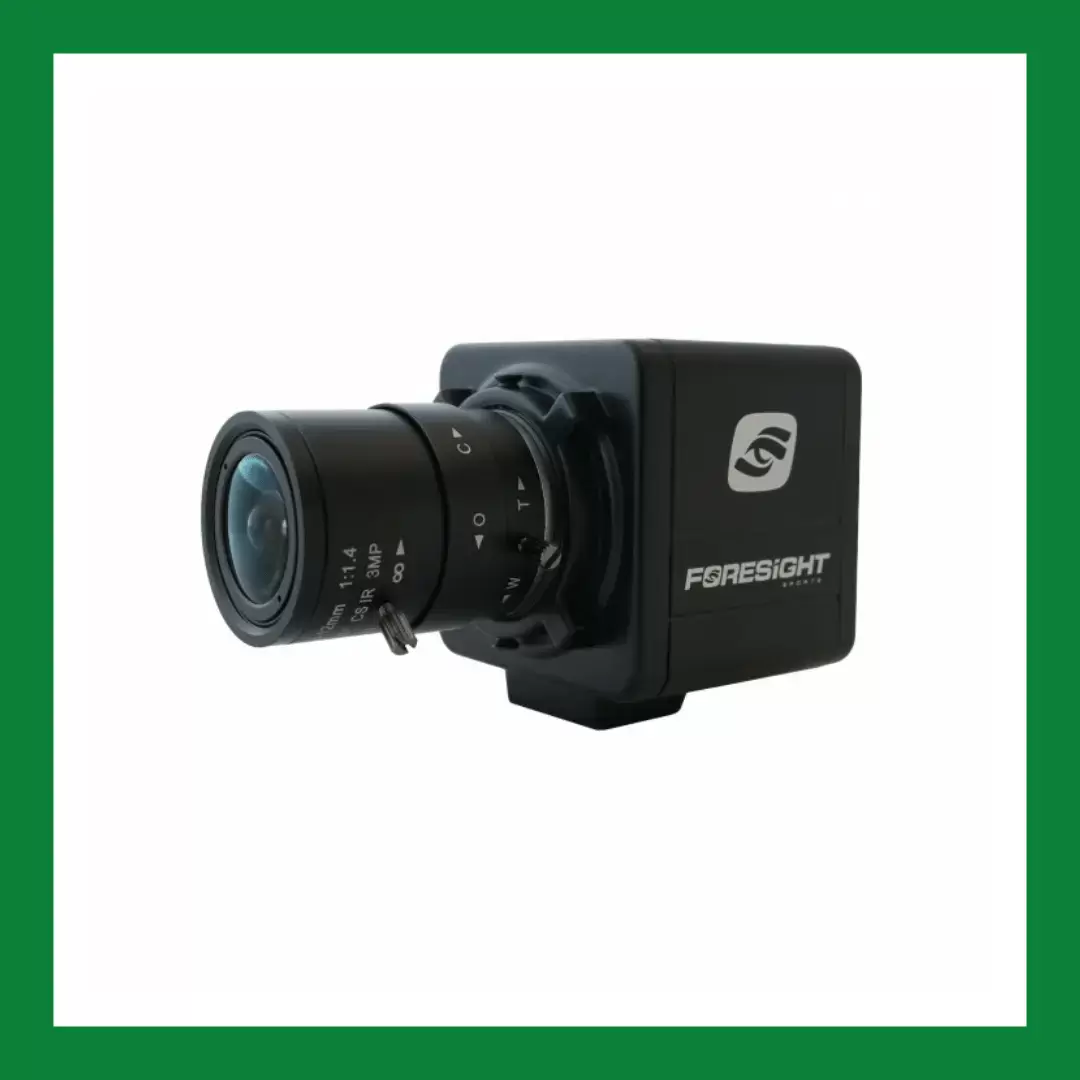
“The image capture is where Foresight really flexes. I get a crisp look at exactly where the ball struck the face with every shot, and the impact footage matches the club data perfectly. Full swing video through their camera integration with FSX works well once it’s dialed in, though setup is a bit more involved than plug-and-play. It’s premium-priced, but the accuracy of what it shows me at impact has honestly saved me from buying lessons I didn’t need.”
FSX Play integrates the camera directly: connect it, take a shot, and review your swing from up to two angles in the analysis window. Carl’s Place notes that FSX Pro camera integration is not currently available.
Connection: USB. Works with: Foresight FSX Play (up to 2 angles).
| Pros | Cons |
|---|---|
| Crisp view of where you struck the face Impact footage matches the club data Swing review from up to 2 angles in FSX Play |
Setup takes more work than plug-and-play FSX Pro integration not currently available Only for Foresight systems |
DJI Osmo Pocket 3 Creator Combo
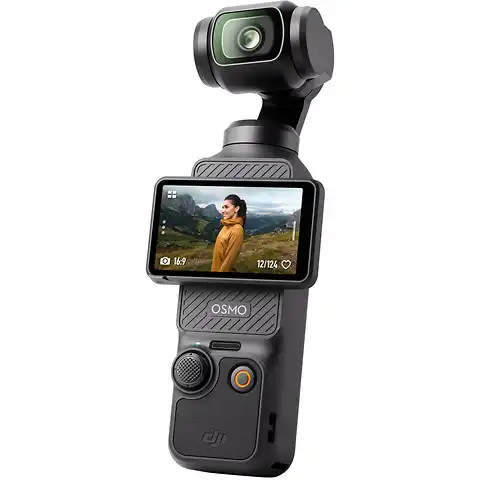
“For pure golf content, I haven’t found anything better. 4K at 120fps makes my swing look buttery in slow motion, and the one-inch sensor plus gimbal means I can film at dusk on the range and still get usable footage. It’s pocketable, so it actually comes with me to the course instead of sitting at home. The catch is that it’s a standalone camera, so there’s no auto-capture or sync with shot data. I’m manually hitting record and moving files.”
The Pocket 3 pairs a 1-inch sensor with 3-axis mechanical stabilization and a 2-inch touchscreen that rotates for horizontal or vertical video. The Creator Combo adds a microphone for clear sound. DJI has since released the Osmo Pocket 4, which records 4K at up to 240fps if you want even slower slow motion.
Connection: standalone (records to the camera). Video: 4K at 120fps.
| Pros | Cons |
|---|---|
| 4K at 120fps slow motion 1-inch sensor handles low light Gimbal keeps footage steady Small enough to take to the course |
No auto-capture or sync with shot data You record and move files manually |
Uneekor Swing Optix Camera Set
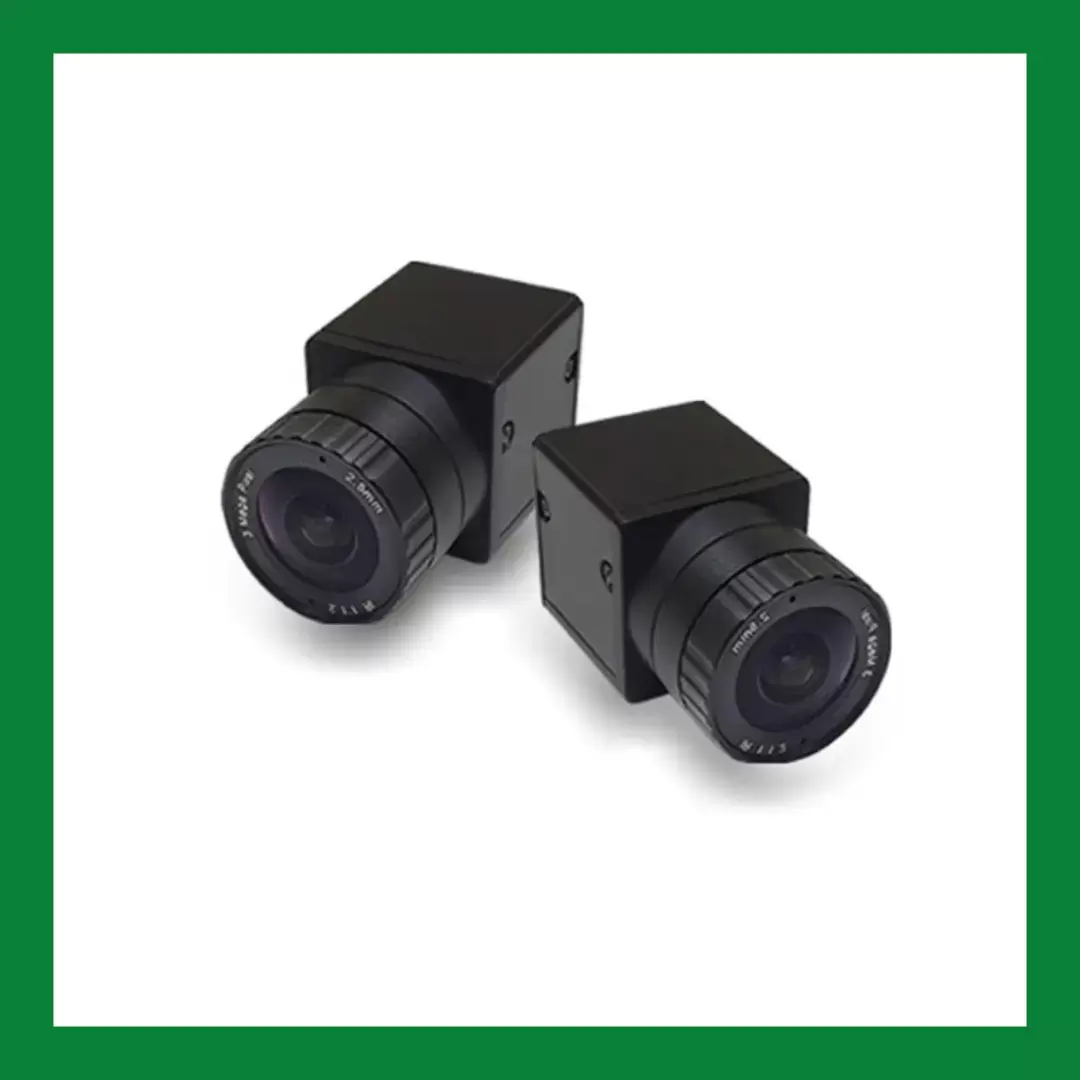
“The two-camera setup gives me simultaneous face-on and down-the-line footage that auto-syncs to every shot in the Uneekor software. That instant replay right next to my numbers is the real game changer. High frame rate playback is smooth enough to diagnose path and wrist issues without slowing it down to a slideshow. It’s not cheap and you need decent lighting, but inside the Uneekor ecosystem it’s the most seamless video solution I’ve used.”
The set includes two high-speed motion capture cameras, a 15-foot and a 21-foot USB 3.0 cable, and a Swing Optix software license (included in Uneekor VIEW).
Connection: USB 3.0. Cameras: 2 (face-on and down-the-line). Works with: Uneekor VIEW.
| Pros | Cons |
|---|---|
| Face-on and down-the-line at the same time Auto-syncs video to every shot Smooth high frame rate playback Cables and software license included |
Expensive Needs decent lighting Only for Uneekor systems |
IFWATER USB High-Speed Camera
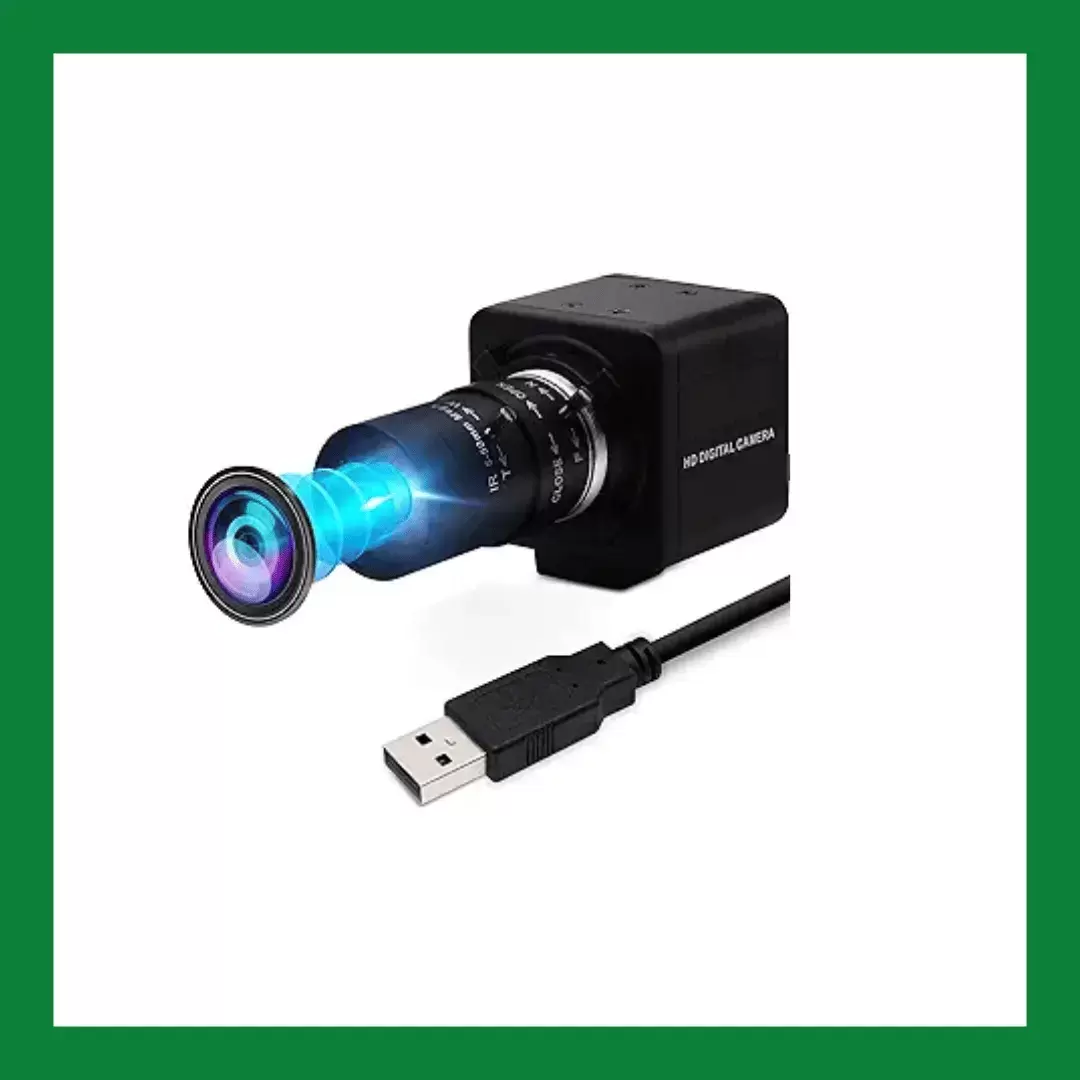
“This is the DIY sim community’s budget favorite and I get why. For roughly the price of a couple rounds of golf, I got a high-frame-rate USB camera with a varifocal lens I can zoom to frame my swing perfectly. It plays nice with third-party swing software, but fair warning: setup involves some driver fiddling, and you’ll need bright, well-placed lighting. For pure value per dollar, nothing else in my bay comes close.”
The listing rates it at 1080p and up to 260fps, with a 5 to 50mm varifocal lens (10x optical zoom). It is a standard USB (UVC) camera, so it works with third-party swing analysis software.
Connection: USB. Lens: 5-50mm varifocal. Frame rate: up to 260fps (per listing).
| Pros | Cons |
|---|---|
| Lowest price in this guide Varifocal lens to frame your swing Works with third-party swing software |
Setup involves some driver fiddling Needs bright, well-placed lighting |
Uneekor Performance Optix Package
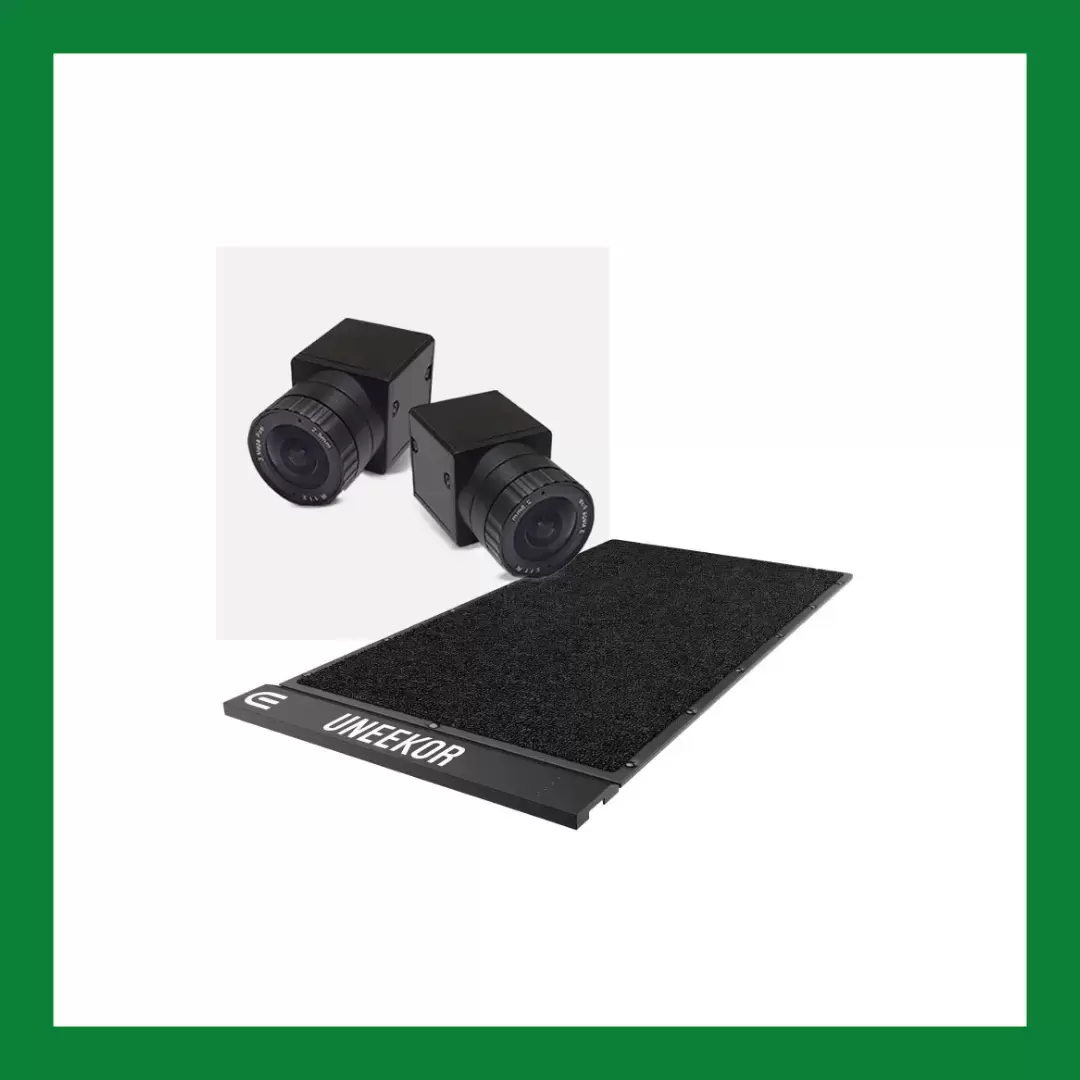
“I went with the full Performance Optix package rather than just the cameras, and the included lighting made an immediate difference. Footage went from dim and grainy to bright and crisp without me hunting down the right lights myself. Everything is matched to the software and works together out of the box, which saved me the trial-and-error of a homemade lighting rig. It’s a meaningful bump in cost, but for a true turnkey install I think it’s worth it.”
The package combines the Swing Optix cameras with the Balance Optix mat, which shows how your weight shifts through the swing, alongside your swing video.
Includes: Swing Optix cameras + Balance Optix mat. Works with: Uneekor VIEW.
| Pros | Cons |
|---|---|
| Cameras and weight-transfer mat together Everything matched to the software Turnkey install, no trial and error |
Significantly more expensive than cameras alone Only for Uneekor systems |
What to look for in a golf swing camera
Frame rate and resolution
For clear slow-motion replays, look for at least 60fps, and ideally 120fps or higher, at 1080p or better. Higher frame rates make it easier to see club position and impact.
Launch monitor integration
If you own a launch monitor, its matching camera (Trackman, Foresight or Uneekor) captures every shot automatically and shows the video next to your numbers. Standalone cameras like the DJI give great video but no shot-data sync.
Lighting
High frame rates need a lot of light. In Clint’s testing, nearly every camera got grainy in a dim room, so plan for bright, well-placed lighting on the hitting zone, or choose a package that includes it.
Angles and mounting
Face-on and down-the-line views together tell you the most. Look for flexible mounting (wall mounts, tripods or clamps) that keeps the camera safely out of your swing path.
Software
USB cameras work with swing analysis apps, including the free Kinovea. Look for features like side-by-side comparison, video overlay and drawing tools.
Golf swing camera FAQs
What frame rate do I need in a golf swing camera?
At least 60fps, and ideally 120fps or higher. Higher frame rates make it easier to see club position and impact in slow motion.
Can I just use my phone instead of a dedicated golf swing camera?
Yes, many phones can record your swing in slow motion. A dedicated golf swing camera usually offers better frame rates, mounting options, more consistent angles and, with a launch monitor camera, automatic sync with your shot data.
Where should I put the camera to record my golf swing indoors?
Place it down the line (behind you, pointing toward the target) or face-on (in front of you, chest-high), at a safe distance outside your swing path, so it captures your whole motion from setup to follow-through.
If you own a launch monitor, start with its camera: the Trackman Swing Camera, the Foresight camera or the Uneekor Swing Optix set sync video with every shot, and the Performance Optix package is the most turnkey Uneekor option. For any other setup, the Carl’s Golf Swing Camera Set is our pick overall, the DJI Osmo Pocket 3 is best for taking to the course, and the IFWATER USB camera is the best value.
Clint grew up playing indoor golf in Toronto and has used a golf simulator for 20 years. A former tournament player, he is now a full-time teaching professional.
- Full-time golf teaching professional
- 20 years of simulator golf
- Former tournament player
This website is a participant in the Amazon Services LLC Associates Program, an affiliate advertising program designed to provide a way for websites to earn advertising revenues by advertising and linking to Amazon.com. Some of the links on this page are affiliate links. This means that, at zero cost to you, I will earn an affiliate commission if you click through the link and finalize a purchase.