Here’s something nobody tells you when you’re deep in a simulator build: your impact screen is a consumable item. It’s not a one-time purchase. It’s going to take thousands of shots — some of them absolute skulled irons from the heel — and it will eventually wear out. The question isn’t really if it wears out. It’s when, and whether the screen you chose gave you great visuals and a quiet setup along the way.
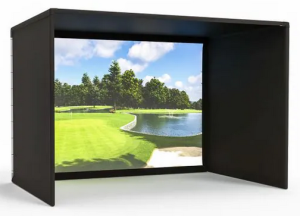
Most people spend weeks agonizing over launch monitors and projectors, then grab whatever impact screen shows up first in the search results. That’s a mistake. The screen is the only part of your simulator that sits at the intersection of image quality, acoustic performance, and physical durability — and those three things don’t always point in the same direction.
Whether you’re building a simulator enclosure in a basement where the family is one floor above you, setting up a garage bay that needs to survive winter sessions with cold ball compression, or going full luxury cinema room — this breakdown will help you make the right call. And yes, if you’re eventually planning to run free golf simulator games for your kids or host neighborhood simulator nights, screen choice matters more than you’d think.
Let’s get into it.
—
What You’re Actually Choosing Between
Impact screens generally fall into three categories, each built around a different priority:
- Single-layer polyester mesh — budget-friendly, durable, loud on impact
- Polyester spacer / multi-layer padded — quieter, premium feel, better image depth
- Premium HD / triple-layer woven — best image quality, theater-first experience
Each one has a legitimate use case. None of them is universally “the best.” Here’s the deep dive.
—
Option 1: Single-Layer Polyester Mesh
The Budget Workhorse
Single-layer polyester mesh is what you’ll find in most starter kits and budget enclosures. It’s woven tight enough to hold a projected image reasonably well, it can absorb a lot of impact, and when it eventually tears or pills, replacing it won’t destroy your wallet.
The tradeoff? It’s loud. Like, noticeably loud. Every ball strike lands with a sharp, almost hollow smack — somewhere between hitting into a drum and slapping a tarp. If your simulator space is isolated (detached garage, soundproofed basement), it’s manageable. If your hitting bay shares a wall with a bedroom where your kids are sleeping or your spouse is working a remote call, it becomes a real problem fast.
Durability & Pilling
Pilling is the real enemy of mesh screens over time. The repeated impact from golf balls — especially with harder winter balls or high-speed driver strikes — causes the fibers to ball up and distort on the surface. This shows up as image grain and uneven brightness across the screen. You’ll notice it first in the center of your hitting zone, right where your driver impacts cluster.
Most single-layer mesh screens last roughly 50,000–100,000 shots depending on ball speed. For a serious player hitting 200+ balls a day, that’s 9–18 months of heavy use. Budget accordingly.
The Bleed-Through Problem
Single-layer mesh has a transparency issue. Projector light doesn’t just stop at the screen — some of it punches straight through, especially at higher lumen outputs. If your back wall is white, light-colored, or unfinished drywall, you’ll see a washed-out glow behind the image. This kills contrast and makes the picture look dim even with a powerful projector.
The fix? A black baffle net — a secondary net hung 12–18 inches behind the screen. It catches the bleed-through light before it hits the back wall. Some enclosures include one. Most don’t. If you’re going with single-layer mesh, budget for a baffle net or paint your back wall flat black.
Quietness Rating: 3/10
Not suitable for shared walls or close-proximity family spaces without additional acoustic treatment.
—
Option 2: Polyester Spacer Fabric (Multi-Layer / Padded)
The “Quiet House” Game-Changer
This is the screen I recommend most often to people building in shared spaces. Spacer fabric is engineered with a three-dimensional weave — think of it like a thin foam sandwich with woven polyester on each face. That middle layer is what changes everything acoustically.
When a ball hits a spacer screen, the energy isn’t transferred as a sharp crack. Instead, it’s distributed through the cushion layer and absorbed over a slightly longer window of time. The physics are straightforward: decibel dampening happens because you’re spreading the impulse rather than stopping it dead. The result is a noticeably duller thud vs. the snappy slap of single-layer mesh.
In real-world terms: my neighbor can be downstairs watching TV while I’m hitting 7-irons in the basement and they genuinely can’t tell I’m playing. That’s not marketing copy — that’s why spacer fabric has become the go-to for basement simulator builds where family life is happening nearby.
Image Quality Upgrade
Spacer fabric also improves image quality in a specific way — it adds depth to the projection. Because the screen has a slight three-dimensional texture, the image doesn’t lay flat and washout-prone the way thin mesh does. Lumen Gain (how efficiently the screen reflects projector brightness back to the viewer) is noticeably better with spacer fabric, meaning you can run a lower-lumen projector and still get a punchy image.
Bleed-through is also reduced significantly. You may still want a dark back wall, but the desperate need for a baffle net drops considerably with spacer fabric.
Durability Consideration
Here’s the honest tradeoff: that padded middle layer is slightly more susceptible to long-term compression damage. The cushion effect is real, but repeated high-velocity impacts in the same spot — like your driver strike zone — can eventually flatten the spacer layer and create dead spots. You’re looking at similar lifespan to mesh (60,000–120,000 shots), but degradation shows up differently: less as pilling and more as localized loss of that acoustic dampening over time.
Quietness Rating: 8/10
Excellent for basement builds, attached garages, and any setup where a family member is within earshot.
—
Option 3: Premium HD / Triple-Layer Woven Screens
The Theater-First Experience
If you’re building a dedicated simulator room — proper lighting control, short-throw 4K projector, acoustic panels on the walls — this is the screen category you’re shopping in. Triple-layer woven impact screens are engineered for one primary purpose: image quality that rivals a commercial projection setup.
The construction typically involves a high-density woven face, an impact-absorbing middle layer, and a light-blocking backing fabric. That backing is critical. It virtually eliminates bleed-through without needing a secondary baffle net, and it allows the screen to deliver genuine contrast performance — blacks look black, not gray.
Run a 4K laser projector into one of these screens and you’ll genuinely stop noticing you’re in a simulator. Course details in GSPro, E6 Connect, or even the free golf simulator games bundled with software platforms look legitimately cinematic. It’s a different category of experience.
The Bounce-Back Factor
One thing worth flagging: premium HD screens, particularly those with a stiffer backing layer, can have a slightly more energetic bounce-back tendency. Ball rebound angle can vary. This isn’t a deal-breaker, but it’s something to check with the manufacturer — especially if you’re tight on room depth and a bouncing ball becomes a safety or damage concern.
Price & Longevity
You’re paying for it. Premium HD screens run 2–4x the cost of single-layer mesh. But for a dedicated room build where you’re also investing in a premium launch monitor like a Foresight GC3, Uneekor QED, or Trackman iO, the screen is a rounding error in the overall budget. It would be strange to spend $6,000 on a launch monitor and then cheap out on the screen that displays everything.
Longevity is generally the best in class here — closer to 100,000–150,000 shots — though replacement cost when it does wear out is higher.
Quietness Rating: 7/10
Better than single-layer mesh, not quite as acoustically dampened as true spacer fabric. Best used in dedicated rooms with some acoustic treatment already in place.
—
Technical Comparison: Impact Screen Materials at a Glance
| Category | Single-Layer Poly Mesh | Polyester Spacer (Multi-Layer) | Premium HD / Triple-Layer |
|---|---|---|---|
| Acoustics (Quietness Rating) | 3/10 — Sharp, loud impact crack | 8/10 — Muffled thud, significantly quieter | 7/10 — Moderate, better than mesh |
| Durability (Impact Life) | 50,000–100,000 shots | 60,000–120,000 shots | 100,000–150,000 shots |
| Image Quality (Lumen Gain & Contrast) | Moderate — some washout at high lumens | Good — better depth and gain | Excellent — true contrast, 4K-ready |
| Bleed-Through Risk | High — baffle net strongly recommended | Low-Moderate — dark wall still helpful | Minimal — backing layer handles it |
| Bounce-Back Tendency | Moderate | Low — cushion layer absorbs energy | Moderate-High — check room depth |
| Price Point | $ (Budget) | $$ (Mid-range) | $$$ (Premium) |
| Best For | Garage builders, isolated spaces | Basement/shared-wall builds | Dedicated sim rooms, luxury builds |
—
The Bleed-Through Problem: Why Thin Screens Need a Baffle Net
This one catches a lot of first-time builders off guard. You fire up your projector, throw on a round of whatever course you’re playing, and notice that the sky in the image looks washed out and the colors seem muddy — even though you spent good money on your projector. The culprit is often bleed-through, not projector quality.
Single-layer mesh is semi-transparent by design — that weave has to flex and absorb impact, which means it can’t be completely opaque. Projector light passes partially through the screen and illuminates whatever is behind it. If that back surface is white or light-colored, it throws ambient reflected light back through the screen, which competes with your projected image and tanks your effective contrast ratio.
A black baffle net solves this by creating a light trap. You hang it 12–18 inches behind the impact screen on its own frame. Light that punches through the screen hits the dark net surface, gets absorbed rather than reflected, and the contrast on your image improves significantly. Some enclosure kits from Carl’s Place, The Net Return, and Rain or Shine Golf include baffle nets. Others don’t. Check before you buy.
With spacer fabric or premium HD screens, the screen’s own construction reduces bleed-through enough that a baffle net is optional. Paint the back wall flat black and you’re usually fine.
—
Quick Verdict: Which Screen Is Right for Your Build?
You’ve built your frame, you have your launch monitor, and you just want a setup that works without overthinking it. If your garage is detached or your home’s layout means the “crack” of a driver won’t wake the household, Single-Layer Polyester Mesh is your winner. It’s tough, it’s replaceable, and it handles the temperature swings of a garage better than most multi-layer fabrics. Just remember: buy a black baffle net to save your image quality from washout.
🏠 The “Quiet House” Builder (Acoustics + Family Focus) If your simulator is in the basement directly below the living room, or in a garage that shares a wall with the master bedroom, don’t even look at the other options. Polyester Spacer Fabric is the only way to go. The decibel reduction is the difference between your spouse asking you to “keep it down” and them not even knowing you’re practicing. It’s the ultimate “peace-of-mind” investment for the married golfer.
🎬 The Luxury Home Cinema Builder (Image Quality Focus) If you are running a 4K projector and using your simulator for Friday night movies as much as Saturday morning rounds, get the Premium HD / Triple-Layer Woven screen. You are paying for the “gain” and the “blacks.” When the lights go down, you want the screen to disappear into the image. This is the closest you’ll get to a commercial theater experience while still being able to fire 170 mph ball speeds at it.
Final Thoughts: The 80% Rule
No matter which material you choose, here is the golden rule of screen longevity: 80% of screen wear comes from dirty or damaged golf balls. A single scuff on a golf ball acts like a serrated knife at 120 mph. If you want your screen—regardless of the material—to last through the 2026 season and beyond, dedicate a “sim-only” sleeve of balls. Keep them clean, keep them scuff-free, and your consumable screen will last a whole lot longer.
More Golf Simulator Enclosure Resources
- How to Eliminate Golf Sim Bounce-Back: Tensioning & Safety
- Calculating Your View: Enclosure Ratios vs. Projector Settings
- The “Shank” Proofing Guide: Protecting Your Walls and Frames
- Step-by-Step: How to Clean a Golf Impact Screen Without Damaging It